

A good educational website should make learning easier from the first visit. Visitors need to understand what you offer. Students need clear access to their lessons. Your team needs a practical way to manage content, enrolments and support.
Yet educational websites serve very different purposes. A private tutor may need a few courses and a booking page. A training company may sell hundreds of learning resources. A college may need assignments, feedback and detailed progress records.
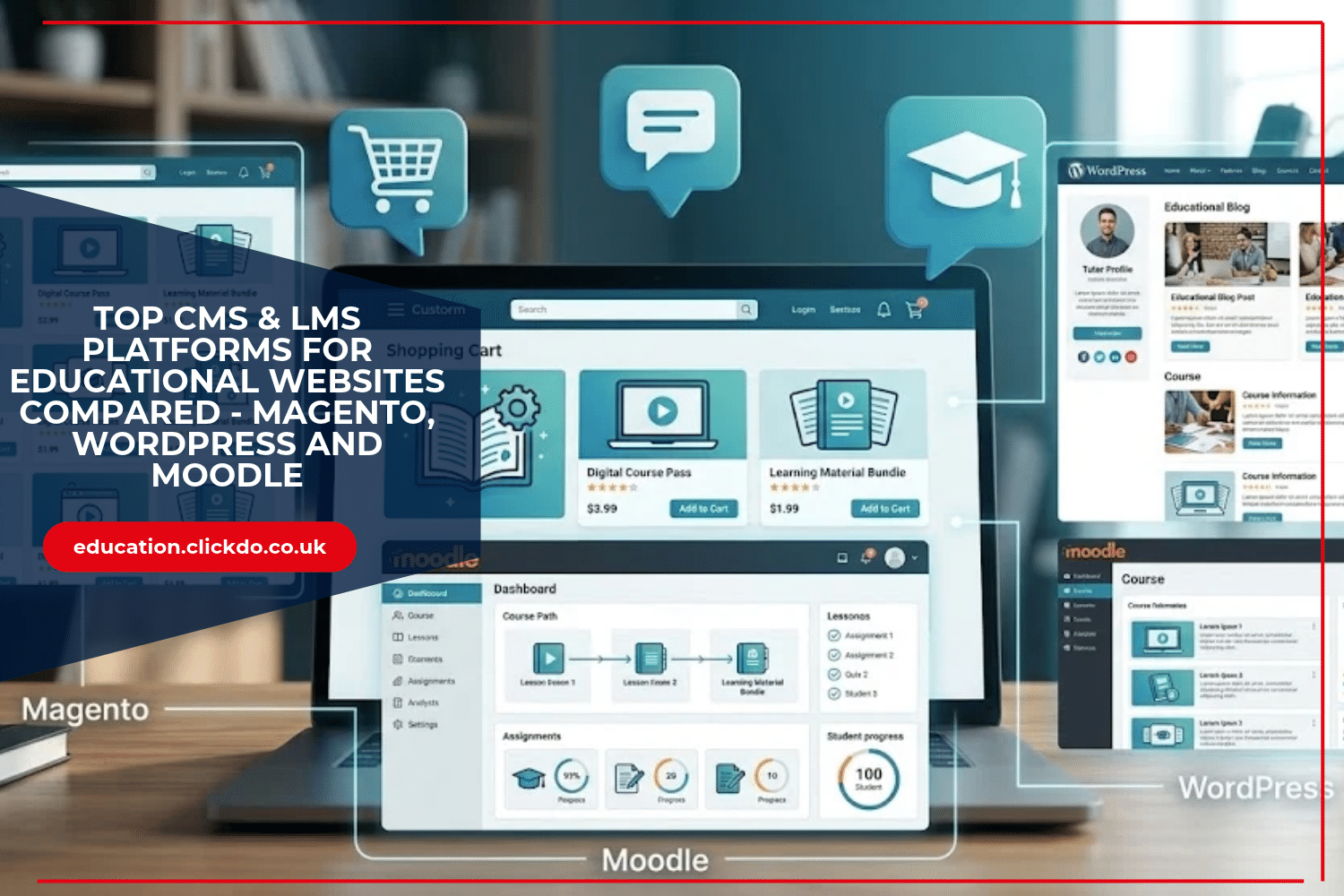
Magento, WordPress and Moodle offer three different starting points. Each earns a place on this shortlist for a specific use case.
The right choice depends on how you teach, what you sell and who will manage the website.
1. Magento: A Strong Option for Selling Educational Products

Magento deserves consideration when selling is a major part of your educational business.
Imagine a training provider that offers printed workbooks, downloadable revision packs and paid courses. Its website must help buyers find the right product, complete a purchase and receive access to what they ordered.
Magento’s role here is the commerce layer. Its downloadable product tools can support the sale of digital learning materials. Customers can access purchased files through their accounts, subject to the store’s download settings.
This makes it relevant to educational publishers and providers with a substantial product catalogue. However, Magento is not a dedicated learning management system. Selling a course and delivering that course are separate requirements. Lessons, assessments and learner progress usually need an LMS integration or custom development.
Before choosing Magento, map the journey after payment. Which system creates the learner’s account? How does the purchased course become available? What happens if the order is refunded or access fails?
A provider considering this approach can discuss the storefront and integration requirements with an industry expert like magento development agency Perspective for example. The brief should explain both the buying journey and the learning journey, including where information must pass between systems.
For example, purchasing a workbook may trigger a delivery process. Purchasing a digital resource may unlock a download. Purchasing a course may need to trigger enrolment in a connected LMS. These actions should be defined and tested individually.
Magento also requires a realistic development and maintenance budget. For a tutor selling one short course, the implementation effort may be difficult to justify. For an established education business with more complex sales processes, it can be a suitable option to assess.
Best fit: Educational publishers and training businesses that need a substantial online shop connected to their learning services.
2. WordPress: A Flexible Choice for Tutors and Course Creators

WordPress is a useful starting point when your website needs to combine educational content with a strong public presence. Think course pages, tutor profiles, learning guides and articles that answer prospective students’ questions.
Consider an independent language tutor. They might publish pronunciation tips, explain their teaching approach and offer a beginner’s course. Keeping these elements together gives visitors a clear route from discovering the tutor to joining a class.
For structured learning, WordPress needs a learning management system plugin. A plugin such as LearnPress adds tools for creating courses, lessons and quizzes. Its wider ecosystem includes additional learning and selling features, although some require separate add-ons.
The important decision is therefore the combination of WordPress, your chosen plugin and your theme. Check that combination against your teaching model before committing to it.
WordPress is worth considering if you need:
- A public website with articles, tutor profiles and course pages.
- Online lessons and quizzes through an LMS plugin.
- Room to add courses gradually as your audience grows.
Pay attention to maintenance. Someone must look after updates, backups and compatibility between plugins. Adding a new tool for every small requirement can make the site harder to manage.
Start with one complete course. Test registration, payment if required, lesson access and course completion. This will reveal more than browsing a long list of plugin features.
Best fit: Independent educators and smaller training providers that want content publishing and online courses in one website.
3. Moodle: A Focused Platform for Structured Learning

Moodle is a strong candidate when the main task is teaching and managing learner progress.
A college running a term-long programme needs more than pages containing videos. Tutors may need to set assignments, review submissions and provide feedback. Students need to understand what is due and which activities they have completed.
Moodle brings these activities into a dedicated learning environment. Its tools include assignments, quizzes, discussion forums and a gradebook. Teachers can also configure activity and course completion tracking.
This supports a more organised course structure. For example, a tutor could introduce a topic, provide reading material and set a short quiz. A later assignment could then check whether students can apply what they have learnt.
Completion settings need careful thought. Opening a resource does not necessarily mean a student understands it. Decide which activities only require participation and which need a passing grade or tutor review.
Moodle also needs administration. Someone must organise courses, manage permissions and support users. Hosting, updates and staff training should form part of the budget.
During a trial, ask a tutor to build a short module and a student to complete it. Check how easily both can find their next task. A platform’s educational value depends partly on how clearly your team sets it up.
Best fit: Schools, colleges and training teams that prioritise teaching activities, assessment and learner progress.
How to Choose the Right Platform

Begin with one realistic learner journey. Describe how someone finds your website, joins a course, accesses material and receives feedback. If money changes hands, include payment and refunds.
Then test each candidate against a short checklist:
- Learning needs: Do you need downloadable resources, guided lessons or assessed courses?
- Sales needs: Will you sell a few courses or manage a wider educational catalogue?
- Daily management: Who will update content and resolve access problems?
- Usability: Can learners complete key tasks on a phone and with a keyboard?
- Ongoing costs: Have you included web hosting, extensions, maintenance and support?
WordPress is a sensible starting point for a content-led teaching business. Magento is worth assessing when educational commerce is central to the project. Moodle suits organisations that need a dedicated environment for learning and assessment.
Before commissioning the full website, build a small working version of the essential journey. Let a tutor manage it and a learner use it. Their experience will help you choose a platform that supports the way your organisation actually teaches.
Author Profile

- Passionate education content creator and designer, contributor, writer and content marketing allrounder.
Latest entries
 Directory PostsOctober 20, 2026Top CMS & LMS Platforms for Educational Websites Compared – Magento, WordPress and Moodle
 DictionaryOctober 8, 2026What Is a Digital Portfolio? Why It Matters and How Students Can Build One
  distance learningSeptember 24, 2026Education ROI: Is an International Business Degree Worth the Investment?
 Directory PostsSeptember 23, 202611 Best LMS Development Companies for Enterprise Online Learning Platforms