
Home Blog

Degree Apprenticeships vs University: Which Is Better for School Leavers?

0

Choosing between higher education pathways is one of the most critical decisions school leavers face in the UK. As university tuition fees and living costs continue to rise, the choice between traditional full-time academic study and earning a degree while working has become central to post-18 education planning.

What Is a Degree Apprenticeship?

young-UK-apprentice-balancing-university-study-and-a-professional-career

A Degree Apprenticeship is a higher education pathway that combines full-time paid employment with part-time university study.

  • Work-Study Model: Apprentices spend approximately 80% of their working hours carrying out paid duties for an employer and 20% completing off-the-job academic study (delivered via day release, block release, or structured online learning).
  • Typical Duration: Most degree apprenticeships last between 3 to 6 years, depending on the sector and course intensity.
  • Qualification Levels: Degree apprenticeships are classified as Level 6 (leading to a full Bachelor’s degree, such as a BSc or BA) or Level 7 (leading to a Master’s degree, such as an MSc or MA).
  • Difference from Traditional Apprenticeships: Standard apprenticeships at Levels 2 to 5 focus primarily on practical vocational diplomas and technical certificates. Degree apprenticeships culminate in a full, accredited higher education degree awarded by a recognised UK university.

According to official figures from the GOV.UK Apprenticeship Statistics Data, participation in higher-level apprenticeships (Level 4 and above) reached 303,700 learners, with Level 6 and Level 7 degree-level starts increasing to over 60,000.

What Is the Traditional University Route?

uk-university-students-experiencing-traditional-campus-life

The Traditional University Route remains the most common full-time undergraduate path across the UK.

  • Study Format: Full-time study over 3 years in England, Wales, and Northern Ireland (or 4 years in Scotland) toward a Level 6 Bachelor’s degree.
  • Academic Delivery: Learning centers around structured lectures, group seminars, independent reading, laboratory research, continuous coursework, and final examinations.

  • Living Arrangements: Students typically live on campus in halls of residence during their first year before moving into private rented accommodation nearby.

  • Financial Support: Tuition costs and living expenses are supported by Student Finance via Tuition Fee Loans and income-assessed Maintenance Loans.
  • Campus Culture: Offers access to student unions, sports clubs, university societies, and academic exploration outside of employment constraints.

For practical steps on transitioning into campus life, read our guide on university freshers. If you are looking to choose a degree that promises high earning potential, consult our guide to high-paying degrees.

Degree Apprenticeship vs University: Key Differences

Comparative Metric Degree Apprenticeship Traditional University Route
Tuition Fees £0 (100% employer & government funded) Up to £9,790 per year (GOV.UK Fee Cap Guidance)
Salary / Income Paid a full employee wage (Minimum £8.00/hr starting rate GOV.UK National Minimum Wage Rates) No salary; reliant on student loans or part-time work
Work Experience 3 to 6 years of direct corporate industry experience Summer internships or optional 1-year placements
Learning Style Practical workplace learning (80% work / 20% study) Theory-heavy, research-focused academic study
Course Options Concentrated in technical, business, and STEM sectors Wide range of subjects, including theoretical humanities
Career Progression Fast-tracked; high post-graduation employer retention Dependent on entry-level graduate application pipelines
Application Process Employer recruitment (CV, assessment centres, interviews) Centralised through UCAS System (Personal statement, grades)
Student Lifestyle Corporate employee schedule (standard annual leave) Traditional student lifestyle, societies, long-term breaks
Contractual Flexibility Bound by employee contracts and sponsor terms Freedom to change modules, defer, or change pathways


Cost: Which Option Is Cheaper?

Traditional University Tuition & Debt

Undergraduate tuition fees for home students in England are capped at £9,790 per year for standard full-time courses, as detailed in the official GOV.UK Student Finance Guidelines. Over a 3-year degree, tuition fees alone total £29,370.

When combined with Maintenance Loans—which reach maximum caps of £10,830 per year outside London and £14,135 per year in London according to the GOV.UK Student Support Overview—total graduate loan debt rises rapidly.

Official findings published in the House of Commons Library Student Finance Report confirm that English students accumulate an average debt balance of £47,900 by the time they reach repayment liability. As detailed in the House of Commons Library Repayments Guide, Plan 5 repayments are calculated at 9% of gross earnings above the £25,000 threshold over a 40-year repayment term.

  • Traditional University Route (3 Years): Tuition Fees (£29,370) + Maintenance Loans (~£18,530+) = ~£47,900 Average Total Debt
  • Degree Apprenticeship Route (3–6 Years): Tuition Fees (£0) + Maintenance Loans (£0) + Earned Salary = £0 Debt + Net Earnings

Degree Apprenticeship Funding

Degree apprentices pay zero tuition fees. Under the UK Government’s Growth and Skills Levy rules outlined in the Department for Education Apprenticeship Funding Rules, training costs are fully covered by large levy-paying employers or co-funded by the government at a rate of 95% to 100% for smaller businesses.

Degree apprentices also do not require Maintenance Loans, as their living expenses are paid directly out of their salary.

Earning While Studying

young-degree-apprentice-working-professionally-while-studying-toward-a-university-degree

Degree apprentices are formally employed workers from day one and receive full statutory employment rights:

  • Employment Status: Apprentice contracts include statutory paid holiday, sick pay, workplace pension contributions, and employee rights under UK labour law.
  • Apprentice Minimum Wage: Statutory guidelines set by the GOV.UK National Minimum Wage and Living Wage Rates establish a legal minimum rate of £8.00 per hour for apprentices in their first year. However, competitive sectors (such as technology, finance, law, and engineering) regularly offer starting salaries between £18,000 and £26,000 per year, with higher London-weighting rates.
  • Incremental Pay Rises: Salaries typically increase annually as apprentices meet performance benchmarks and advance through their academic modules.

Work Experience and Employability

Graduate employment outcome statistics consistently highlight the practical advantages of work-integrated learning:

  • Graduate-Ready Experience: While traditional university graduates must transition into the job market after completing their degrees, degree apprentices graduate with 3 to 5 years of workplace experience.
  • Professional Network Building: Working inside an active business allows apprentices to build networks with senior colleagues, mentors, and external clients.
  • Direct Career Advantage: A high proportion of degree apprentices remain with their training employer after graduation, stepping directly into mid-level corporate roles rather than entry-level graduate schemes.

To understand how bite-sized qualifications complement work-integrated learning, explore our article on micro-credentials. If you want to build direct work experience alongside or outside a degree, read our guide on summer internships.

The University Experience

diverse-students-living-and-studying-independently

Despite the financial savings offered by apprenticeships, traditional university study offers distinct lifestyle advantages:

  • Campus Life & Personal Independence: Moving to a university campus encourages personal independence, self-management, and life skills away from home.
  • Societies & Clubs: Access to university facilities, specialized academic clubs, political societies, and competitive sports teams.
  • Academic Freedom: The freedom to explore theoretical concepts, participate in academic debates, and pursue subject areas without commercial constraints.
  • Student Networking: Opportunities to build social networks with peers from diverse international backgrounds and disciplines.

If you are considering taking your studies global, review our guide on studying abroad. To optimize your study habits for academic success, see our tips on learning strategies.

Which Subjects Work Best for Degree Apprenticeships?

Degree apprenticeships are concentrated in technical, professional, and corporate fields. As listed on the UCAS Apprenticeships Platform, key sectors include:

  • Engineering: Civil, Mechanical, Electronic, Aerospace
  • IT & Digital Technology: Software Engineering, Cybersecurity, Data Analytics, AI
  • Finance & Accounting: Chartered Accounting, Investment Banking, Financial Services
  • Business & Management: Corporate Management, Supply Chain, Chartered Manager (CMDA)
  • Law: Solicitor Apprenticeships (Level 7)
  • Healthcare: Nursing, Allied Health Professions
  • Construction & Built Environment: Quantity Surveying, Architecture, Building Surveying

To compare traditional business degrees with postgraduate options later in your career, see our breakdown on MBA qualifications. For sector-specific pathways, check out our guide on hospitality degrees.

How Competitive Are Degree Apprenticeships?

Because degree apprenticeships offer a degree with zero tuition costs and a salary, competition for places is high.

  1. Employer Application Processes: Selection procedures mirror corporate graduate schemes, using CV screening, online psychometric testing, asynchronous video interviews, and full-day assessment centres.
  2. Dual-Application Strategy: Applicants do not need to choose only one path. Students can submit 5 university choices through UCAS while simultaneously applying for individual degree apprenticeship vacancies with employers.

To excel during employer selection processes, check our practical guide on virtual job interviews.

Career Progression After Graduation

Both routes award an accredited Bachelor’s or Master’s degree from a UK university. However, post-graduation trajectories differ:

  • Degree Apprentices: Frequently transition directly into mid-level positions with their sponsoring employer, leveraging their years of workplace experience.
  • University Graduates: Enter the broader job market with a wide academic background, applying for graduate schemes or entry-level positions across different industries.

For workplace success, personal skills play a key role; discover more in our guide to emotional intelligence.

Final Verdict: Which Is Better?

Neither pathway is universally better than the other; the right choice depends on individual learning styles, financial goals, and career ambitions.

Traditional University remains the right option for students seeking broad academic choice, traditional campus life, or professions requiring specialized academic degrees.

Conversely, Degree Apprenticeships offer an effective model for ambitious learners who want to avoid tuition debt, gain real professional experience, and kickstart their careers while completing a degree.

If you’d like to contribute more information on more insights into higher education paths, university guides, and career preparation, please write to us.

Disclaimer: All information provided was correct at the time of publication and was collected with the help of accredited tools and real-world data insights.

The AI Skills Gap in UK Business: How Targeted Upskilling Relieves Strained IT and Management Teams

0

UK businesses are adopting artificial intelligence, automation and data-driven tools at an increasing pace. 

From AI features built into everyday software to more advanced business intelligence and automated workflows, new technology is changing how many employees work.

But introducing new technology is only part of the challenge. Employees also need the skills and confidence to use it effectively.

When people struggle to use new software or AI tools, the pressure often falls on internal IT teams and managers. They may find themselves answering basic questions, correcting errors, fixing reports or helping employees work around problems that could have been avoided with better training.

For businesses investing heavily in new technology, this can become an expensive problem. If employees use only the most basic features of a system, or avoid new tools because they don’t understand them, the organisation may not get the full benefit of its investment.

The solution isn’t necessarily more technology. In many cases, it is better training.

The Growing AI and Data Skills Gap

representing-the-growing-AI-and-data-skills-gap-in-UK-workplaces

The rapid adoption of AI and workplace automation is creating new opportunities for UK businesses, but it is also creating new skills requirements.

AI can now help employees analyse information, create content, automate repetitive tasks and find useful insights in business data. Many familiar applications are also gaining AI-powered features so AI literacy is key. However, having access to these tools doesn’t automatically mean employees know when or how to use them effectively.

Employees need to understand not only how new tools work, but also how they can be applied to their own jobs. They also need to know when to check AI-generated results, how to work with business data safely and when a task still requires human judgement.

When these skills are missing, the effects can be felt throughout an organisation:

  • Greater pressure on IT teams: IT departments may be diverted from important infrastructure and cybersecurity work to answer routine questions about software and new digital tools.
  • More pressure on managers: Line managers can spend considerable time checking, correcting and formatting reports or helping employees with tasks they could otherwise complete themselves.
  • Underused software and AI tools: Businesses may invest in powerful software and AI features but use only a small part of what is available.
  • Slower adoption of new technology: Employees who are unsure how to use new tools may continue relying on familiar manual processes, reducing the potential benefits of automation.

Moving Beyond Generic Self-Paced Learning

showing-the-transition-from-generic-online-learning-to-practical-workplace-training

Many organisations use online videos and self-paced learning to help employees develop new skills. These resources can be useful, particularly for simple tasks, but they don’t always prepare people for the situations they encounter in their own jobs.

An employee may understand how a particular Excel function, Power BI feature or AI tool works in a training exercise but still be unsure how to apply it to a complicated spreadsheet, report or business problem.

Effective training should therefore connect new skills with real work.

Instructor-led training gives employees the opportunity to ask questions, work through realistic examples and get help when they encounter problems. It also allows an instructor to explain not just how a feature works, but when it is useful and how it can be applied to the employee’s own work.

This is particularly important with AI. Employees need more than an introduction to the latest AI tools. They need practical guidance on how those tools can improve their work, how to check the results they produce and how to combine AI with their own knowledge and judgement.

The result should be employees who can solve more problems for themselves, rather than employees who must rely on IT or their managers whenever they encounter something unfamiliar.

Practical Training for Different Roles

Different employees use technology in different ways, so training should reflect the roles people perform and the problems they need to solve.

Advanced Data Skills

Managers and operational staff increasingly need to work with business data themselves. Training can help them analyse, interpret and present information more effectively, reducing the need to rely on specialist colleagues for every report or analysis.

AI and Automated Workflows

AI and automation can remove many repetitive tasks, from preparing reports to working with spreadsheets and documents. Employees need to understand which tasks can be automated, how to use the available AI features and how to check the results before relying on them.

Project and Change Management

Introducing new technology often affects several teams at once. Team leaders need the skills to manage these changes, communicate effectively with different departments and keep projects moving while employees adapt to new systems and processes.

Role-Specific Software Skills

split-concept-business-image-showing-different-employees-using-technology-for-different-role

Employees also need training that reflects the software they actually use. For example, an accountant, project manager and sales professional may all use Microsoft Excel, but their requirements are very different. Training that reflects these differences is more likely to be useful when employees return to their desks.

To support UK organisations developing these skills, Infero Training provides flexible, hands-on training delivered virtually, in a classroom or through customised corporate workshops for example. Businesses looking to strengthen their analytical capabilities can explore specialised Data Analytics Courses, while broader teams can benefit from tailored instructor-led programmes covering Microsoft applications, AI, automation and other modern business tools.

The Business Case for Better Training

Good training isn’t simply about helping employees complete a course. The real benefit comes when they use what they have learned to work more effectively.

Organisations can look for practical improvements such as:

  • Fewer routine IT requests: Employees who can solve more software problems themselves place less pressure on internal IT teams.
  • Faster reporting: Better skills in Excel, Power BI and other data tools can help employees produce reports more efficiently.
  • Greater use of existing software: Employees are more likely to use advanced features when they understand how those features can help them.
  • More effective use of AI: Employees who understand both the opportunities and limitations of AI can use it more confidently and appropriately.
  • Less reliance on manual processes: Automation and better use of software can reduce repetitive work and free employees to concentrate on more valuable tasks.

The aim isn’t to replace people with technology. It is to give people the skills to make better use of the technology available to them.

A Note about Infero Training

Infero Training is a UK-based professional development provider offering more than 450 instructor-led courses covering Microsoft applications, Data Analytics, Project Management and Professional Leadership.

Training is available through classroom courses, live virtual sessions and bespoke corporate programmes, with content designed around the practical needs of the people taking part.

By helping employees develop practical, job-ready skills, Infero Training helps organisations make better use of their existing technology, reduce pressure on internal support teams and give employees the confidence to work more effectively with modern business tools, including AI.


How UK Students Can Save Money on the Tech They Need in 2026

0
student-tech-savings-guide

As a student, you’ll likely need to pay for hardware and devices, software subscriptions, and security tools. 

You’ll require these to stay safe online and complete your coursework successfully. 

Paying full price for each digital service can quickly add up. 

Luckily, through student discounts, cheap pricing models, and free services, you can save a significant amount. 

Check What Software Your University or College Provides 

UK-university-student-studying-at-a-desk-with-a-laptop

Don’t buy anything without first checking whether your university or college already provides it. The choice of software available will likely depend on your course. For example, if you’re a computing student, you may get access to coding and development tools. Design students, on the other hand, will likely get free access to creative software. 

Before the semester gets busy, spend an hour exploring your university’s IT portal or intranet, and you’ll typically find a software catalogue listing everything available for free download. 

For example, Microsoft 365 is free for most university and college students in the UK. With a student email address, you can gain access to Word, Excel, PowerPoint, Teams, and OneDrive. The University of Manchester recently became the first university in the world to offer students free access to Copilot. All 65,000 students and staff members now have access to the AI assistant. 

Use Student Discounts as Much as Possible 

uk-university-student-comparing-student-discounts

If your college or university does not provide the tool you need, check if student discounts can cover the cost. Specifically, if you need a new laptop, tablet, or digital accessory, don’t assume that you’ll need to pay full price. 

Check platforms such as UNiDAYS, Student Beans, and TOTUM. These sites bring together and list all the best discounts they can find. Their popularity among students demonstrates their value. Student Beans, for example, has over 30 million verified users in the UK

Timing can make a significant difference to how much student discount you receive. For example, Apple’s University Student Offer 2026 is only valid between the 13th of August and the 22nd of October. Special offers give you a chance to buy hardware at a lower price — but only for a limited time. It’s also worth registering with more than one platform, since some brands partner exclusively with a single service. If you know you’ll need a new device, set a calendar reminder for early August so you don’t miss the window, and compare the student offer against refurbished options. 

Check for Promotional and Bundled Deals 

UK-student-comparing-bundled-deals

Many digital tech companies offer limited-time promotions throughout the year. So, if you miss out on student promotion periods, you have other opportunities to receive discounts. 

You can often find seasonal sales, new customer offers, and introductory subscriptions on tools such as antivirus protection and cloud storage. Bundle deals and annual plan discounts also allow you to access more features and save money in the long run. 

Antivirus providers, for example, typically offer bundled protection for multiple devices. By opting for a bundled option, you can protect your phone, tablet, and laptop simultaneously. You won’t need to buy individual protection for each device, which often costs more. 

Some cloud storage providers offer bigger storage options for discounted rates. While paying for more storage may seem like a high upfront cost, it can work out cheaper over time. You’re paying for a way to store all your coursework, photos, and other important files conveniently in one place. 

Buying an annual VPN (Virtual Private Network) subscription often works out cheaper than a monthly subscription. If you time it right, you can get a year’s subscription for significantly cheaper. When looking for seasonal VPN deals, be sure to check around Easter, Black Friday, and Christmas. A VPN is particularly useful for students who regularly work from cafes, libraries, and campus Wi-Fi networks, where unencrypted connections can expose your data to anyone else on the same network.

Think About the Total Cost

Avoid buying tech that falls outside the basics before you gain a good understanding of what your course requires. It’s tempting to buy a high-specification laptop and a premium software suite before your first lecture. But you might discover that your course’s computer labs already contain everything you need, or that your modules rely on entirely different tools. 

Additionally, don’t buy a tool just for the sake of the discount. A ‘50% off’ discount is very tempting. However, if you won’t actually use the tool, why should you even buy it in the first place? 

You should also take advantage of free trials as much as possible. By doing so, you can determine whether you need the tool for your coursework without spending any money. 

Technology Shouldn’t Cost You a Fortune 

Before buying a product, check if your university offers it for free or if you can apply any student discount. After that, compare deals, check renewal terms, consider bundled options, and avoid tools you don’t need. When it comes to tech, a little research can go a long way. 

How to Choose the Right Online Tutor for GCSE & A-Level Success in the UK

0
how-to-choose-gcse-and-a-level-uk-online-tutor

Finding a tutor has never been easier. A quick search, a few clicks, and you have a list of profiles to scroll through. 

The harder question is how to tell whether the tutor in front of you is actually the right one for your child, and this is the question most parents only wish they had asked sooner.

The difference between a tutor who fills a weekly slot and a tutor who genuinely moves the needle on a student’s grades is significant. That difference rarely comes down to qualifications alone. It comes down to fit. 

Fit with the subject, fit with the exam board, fit with how your child learns, and fit with where they are right now versus where they need to be.

This guide is for UK parents navigating that decision, whether your child is heading into GCSE revision season or pushing through the pressures of A-Level year.

Know What Your Child Actually Needs Before You Start Looking

UK-parent-and-teenager-discussing-their-learning-needs-before-choosing-an-online-tutorThe most common mistake parents make when searching for a tutor is starting with the tutor rather than starting with the problem.

Before you look at a single profile or platform, sit down with your child and work out precisely what the issue is. Is it a single subject across the board or a particular topic within a subject that keeps coming up in mock exams? Is your child struggling with the actual content and not understanding the material, or do they understand it but struggle to translate that understanding into marks under exam conditions? These are different problems, and they respond to different kinds of support.

Be specific about the exam board too. This matters more than many parents realise. A tutor who is highly experienced with AQA Maths may not be familiar with the Edexcel specification, even though both are GCSE maths. The question types, mark scheme language, and course structure differ meaningfully between boards, and a tutor who knows yours deeply is worth considerably more than one who knows the subject in general.

Ask your child’s school which board they are sitting for if you are unsure. It takes thirty seconds and saves you from a tutor mismatch that only becomes apparent weeks in.

What to Look for in a GCSE Tutor

GCSE-student-attending-an-online-tutoring-session-with-an-experienced-teacher.At GCSE level, the most important quality in a tutor is subject-specific expertise paired with a teaching approach that suits how your child actually learns. Not how most students learn, but your child specifically.


Some students respond best to a tutor who explains concepts patiently from first principles, building understanding brick by brick. Others are already broadly competent but need someone to sharpen their exam technique, drill past paper questions, and identify the patterns in where marks are being dropped. 

These require different teaching styles, and a good tutor will be able to adapt. Before committing to sessions, ask directly: how do you usually approach a student who understands the content but loses marks in exams? The answer tells you a great deal about how they work.

Online tutoring at GCSE level has become genuinely effective over the past few years, and for many families it offers flexibility that in-person tutoring simply cannot match. Sessions can fit around school schedules, club commitments, and revision timetables without the logistical strain of arranging travel. For GCSE students managing a significant number of subjects simultaneously, that flexibility is not a minor convenience. It is a real practical advantage.

When looking for a qualified GCSE science tutor online, prioritise platforms that allow you to filter by exam board and subject specialism rather than simply browsing general tutor profiles. The more specifically matched the tutor is to your child’s exact paper, the more directly useful every session will be.

What to Look for in an A-Level Tutor

A-Level-student-having-an-advanced-online-lesson-with-a-specialist-tutorA-Level tutoring requires something that GCSE tutoring does not always demand: genuine depth of subject knowledge at degree level or above.

This is not about credential collecting. It is about the fact that A-Level content is significantly more demanding than GCSE, and a student aiming for top grades in subjects like Maths, Chemistry, Physics, or Economics needs a tutor who understands the subject thoroughly enough to explain it from multiple angles, anticipate the harder questions, and push the student beyond surface-level understanding into the kind of analytical depth that A-Level mark schemes reward.

The university entrance implications of A-Level results add another layer of weight to this decision. Predicted grades influence UCAS applications, and mock performance influences predicted grades. A tutor who understands this timeline and knows how to work backwards from a target grade to identify what needs to improve and by when is a meaningfully different resource from one who simply works through the syllabus week by week.

Ask any potential A-Level tutor directly: have you helped students improve predicted grades or achieve their target university offers? Ask them what their approach is to mock preparation specifically. The answers reveal quickly whether they understand the full picture of what A-Level tutoring is for.

Like Finding an experienced A-Level Physics tutor online also gives your child access to specialists who may not be available locally. Tutors with university teaching backgrounds or professional experience in the subject bring a level of depth that generalist tutors cannot always offer.

Questions to Ask Before Booking

UK-parent-speaking-with-an-online-tutor-before-booking-a-lessonOnce you have identified a tutor who looks like a good fit on paper, a short conversation before booking confirms or changes that impression quickly. These are the questions worth asking.


Do you offer a trial session? Any tutor confident in their approach should be willing to offer an initial session before you commit to a block of bookings. This protects your child from a poor fit and gives both sides a chance to assess whether the dynamic works.

How do you track progress? A good tutor will have a clear answer to this, whether it is regular mock questions, written feedback after sessions, or tracking performance on specific topics over time. Vague answers here are a warning sign worth paying attention to.

How flexible are you around exam season? Revision schedules compress significantly as GCSEs and A-Levels approach, and your child may need additional sessions or different session structures as exam dates get closer. Confirm that the tutor can accommodate this before you start.

Do you have experience with my child’s specific exam board? Ask it directly, even if you have already checked their profile. The response tells you both whether the answer is yes and how confidently and specifically they can speak to that board’s requirements.

A Final Word for Parents

Choosing the right tutor is not a one-time decision. It is something worth reviewing regularly as your child progresses. A tutor who was the right fit in Year 10 may not be what your child needs in Year 11 when mock pressure begins. A tutor who suits the early stages of A-Level revision may not have the depth your child needs in the final months before the real exams.

Stay involved enough to know whether sessions are genuinely helping. Ask your child directly after the first few sessions: do you feel like you are making progress? Does the tutor explain things in a way that makes sense to you? Their answers matter more than any tutor profile or list of credentials.

The best outcome is a tutor your child trusts, whose sessions they look forward to rather than dread, and whose influence shows up in how confidently they sit down to tackle a paper. When you find that combination, it makes a real difference. Not just to grades, but to how your child feels about their own ability to handle what is in front of them.

What LMS Consulting Actually Is & When You Need It

0
lms-consulting-guide

Most organizations bring in an LMS consultant after something has already gone wrong. 

The implementation took twice as long as planned. The platform doesn’t do what the sales demo suggested. The integrations with HR and compliance systems were scoped out of the initial budget and are now blocking every other initiative. The vendor’s professional services team has moved on to the next client.

This sequence is common and largely preventable. Most LMS implementation problems are not technical problems. They’re scoping, architecture, and vendor selection problems — decisions made before any code is written — that become technical problems because no one with the right expertise was in the room when they were made.

What LMS Consultants Actually Do

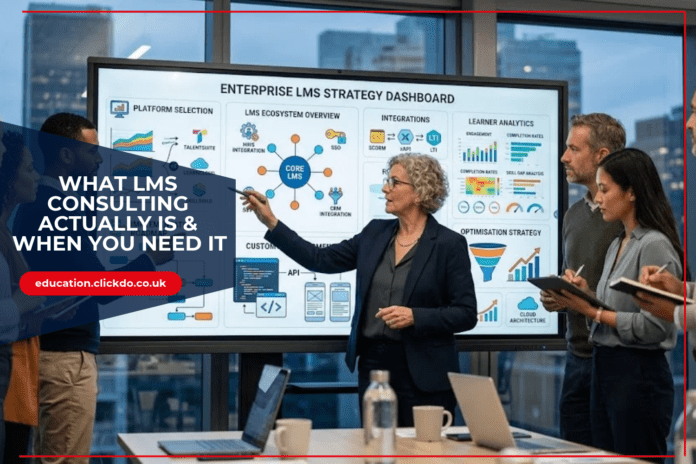
showing-an-LMS-consultant-advising-an-organisation

LMS consulting is a broad term that covers several distinct types of work. Understanding which type you need is the first step in finding the right kind of help.

Platform selection consulting helps organizations define requirements and evaluate vendors before making a decision. This sounds like it should be straightforward, but vendor demonstrations are optimized to look impressive, not to surface limitations. 

A consultant who has implemented the same platforms multiple times across different organizations know where the gaps are, which limitations the sales team will minimize, and which requirements will require expensive customization to meet. The selection decision is where the most expensive mistakes are made, and it’s the stage where experienced outside perspective has the most leverage.

Implementation consulting covers the architecture, configuration, and integration decisions that determine how well the platform performs in production. 

Which data flows between the LMS and the HRIS, how often, and in which direction? 

How is single sign-on configured, and how does it interact with the organization’s identity provider? 

What is the content authoring workflow, and how does it connect to the platform’s publishing infrastructure? 

These decisions compound — a poorly designed integration architecture in month two becomes the technical debt that blocks every new feature for the next three years.

Optimization consulting applies when the platform is already in production and performance is falling short of expectations. Low completion rates, poor learner adoption, reporting that doesn’t give stakeholders the data they need, integrations that require ongoing manual intervention — all of these are symptoms that point to specific underlying decisions that can be identified and addressed without replacing the platform.

The Vendor Selection Problem

an-organisation-comparing-multiple-LMS-platforms-before-making-a-decision. The LMS market has more than 800 platforms. This is not a useful number. The relevant set for most organizations is 5–10 platforms that plausibly meet their requirements, and the decision between them turns on factors that are difficult to evaluate from product documentation and sales demonstrations.

Scalability claims are particularly difficult to assess. Most platforms perform well in demonstrations and in production environments with controlled traffic. Performance under real load — enrolment periods, live event peaks, concurrent video streaming — is different, and the failure modes are predictable to anyone who has operated these systems at scale.

Integration depth is another area where surface-level evaluation misleads. Vendors describe integrations with Workday, Salesforce, and BambooHR as if all integrations are equivalent. In practice, an integration can mean anything from a native bidirectional sync that handles complex field mapping and error recovery to a pre-built connector that transfers a limited set of fields in one direction on a daily schedule. The difference between these is significant in operational terms, and it’s not visible in a product comparison matrix.

Standards compliance, such as SCORM, xAPI, LTI 1.3, OneRoster, requires the same scrutiny. A platform that claims SCORM support may handle SCORM 1.2 without supporting SCORM 2004 or may support the standard in ways that create problems with specific authoring tools. LTI 1.3 implementation quality varies significantly between platforms, and the differences show up as integration failures with content providers and partner systems.

Aristek Systems provides LMS consulting services covering platform selection, implementation architecture, and integration design — with 23+ years of EdTech experience across custom LMS development, Moodle, Canvas, Schoology, and the integrations that connect them to enterprise systems.

When the Platform Is the Wrong Question

A significant portion of LMS consulting engagements reveal, at some stage, that the platform is not the primary problem. The implementation was fine. The platform is capable. The gap between expected and actual outcomes traces to decisions about content, learning design, or data architecture that no platform can compensate for.

Content structure is frequently the issue. Organizations migrate a library of hour-long eLearning courses built for in-person training into a self-paced digital format and discover that completion rates are poor. This is a content design problem, not a platform problem. Chunking content into shorter segments, adding checkpoints that reinforce learning, and building assessments that measure understanding rather than recall — these changes happen at the content level and have more impact on learner outcomes than platform configuration.

Data architecture is the other common culprit. Organizations that have been running an LMS for several years often have completion data, assessment data, and engagement data that has never been systematically analysed. 

A consulting engagement that surfaces what the existing data says about learner behaviour and content effectiveness — before any platform change — frequently identifies improvements that can be made without any migration or new implementation.

The Build vs. Configure Decision

lms-consultant-evaluating-for-configure-an-existing-platform-or-build-custom-functionality

The most consequential question in LMS consulting is often where the line falls between configuring an existing platform and building custom functionality. Both have costs: configuration has limits, and custom development has maintenance overhead.

Getting this decision right requires understanding both what the platform can actually do — not what it claims to support, but what it delivers in practice — and what the organization’s requirements actually are. Requirements elicitation in LMS projects is frequently where the most time and money is lost, because the stakeholders who will use the system and the stakeholders who are buying it often have different and sometimes contradictory needs.

A consultant who has navigated this decision across multiple organizations and platforms brings a calibrated sense of where the configuration ceiling is, what custom development actually costs to build and maintain, and which requirements are worth bending to the platform’s native capabilities versus which are worth investing in custom solutions. That judgment is what separates an LMS consulting engagement that produces a working system from one that produces a longer requirements document.

The Student Wellbeing Handbook: Managing Health, Stress and the NHS at University

0
student-mental-health-uk-handbook

Nobody explains the NHS to you when you arrive at university. You are given a room, a reading list and a fire safety briefing, and the healthcare system is assumed to be self-explanatory.

It is not, particularly if you have moved away from home for the first time, and the gaps in that knowledge cost students’ money, time and occasionally quite a lot more.

Register With a GP in Freshers’ Week

student-registering-at-a-uk-gp-reception

This is the single most useful administrative act of your first term as a fresher, and many students skip it.

Without registration you are limited to walk-in centres and A&E, neither of which provides continuity. Many universities host a practice on or near campus and registering takes minutes.

If you keep your home GP instead, you are relying on being able to get an appointment during a holiday, which is a poor plan for anything that arises in November.

The Pharmacy Is the Underused Route

For many common complaints, the pharmacy is faster and free.

Pharmacists in England can now treat several common conditions directly, without an appointment and without seeing a GP. They will also advise on interactions, over-the-counter alternatives and whether something warrants a GP appointment at all.

Given that a GP appointment can be a two-week wait during term, this is the most valuable thing in this article for anyone with a sore throat in week seven.

Money: The Part Nobody Mentions

university-student-sitting-at-a-desk-reviewing-healthcare-expenses

Students frequently pay for prescriptions they should not be paying for, and the exemptions are not advertised.

The NHS Business Services Authority sets out the routes on its help with NHS prescription costs pages. Prescription charges in England apply per item rather than per prescription, so a prescription with three medicines costs the charge three times. Prescriptions are free in Scotland and Wales, which matters if you are studying across a border from where you grew up.

Two routes are worth checking. The NHS Low Income Scheme covers people on a low income who do not automatically qualify, and full-time students frequently do. And a prepayment certificate covers all your prescriptions for a fixed price, paying for itself above roughly three items in three months or eleven in a year, with the twelve-month version payable by monthly direct debit.

Check entitlement to free prescriptions before buying a certificate, because by claiming an exemption you are not entitled to carry penalty charges.

Stress, and the Difference Between Bad Weeks and Something Else

university-wellbeing-adviser-in-a-calm-counselling-for-student

University produces stress in a way that is largely normal and occasionally is not and telling the difference matters.

Ordinary stress fluctuates with workload, responds to sleep and rest, and lifts when the deadline passes. What warrants attention is stress that persists once the trigger has gone, that affects sleep and appetite continuously, or that makes ordinary tasks feel impossible rather than unpleasant.

Universities have wellbeing services, disability services and often counselling, and the waiting lists are real. Register with them early rather than at the point of crisis, because being already in the system is worth several weeks.

Your GP is also a route, and academic staff can arrange extensions and mitigating circumstances if they know something is going on. Nobody can act on information they do not have.

Long-Term Conditions Away From Home

university-student-organising-medication-and-healthcare-information

Students managing a chronic condition face a specific set of problems that generic wellbeing advice ignores.

Continuity of prescribing is the first. If you move between home and term-time addresses, work out early which practice holds your repeat prescription and how you will collect it. Running out of medication during a term is common and avoidable.

Specialist care is the second. If you are under a consultant at home, ask whether care can be transferred or shared, and do it before you need an appointment rather than after.

And treatment routes differ in availability. Where a condition is managed privately, that continues to be your own arrangement rather than something the university or the local NHS practice takes over. Students who assume otherwise discover it at an inconvenient moment.

That includes anything accessed through a specialist route. Prescribed cannabis-based medicines are one example, and anyone searching for information on NHS medical cannabis will find NHS prescribing is confined to a small number of specific indications, with most patients using private services instead.

The Prescribed Cannabis Question Students Ask

university-student-having-a-confidential-consultation-with-a-qualified-doctor

It comes up on campuses constantly and the answer is more restrictive than the conversation suggests.

Prescribed cannabis-based medicines have been lawful in the UK since 2018, but prescribing is limited to specialists on the GMC Specialist Register. Where students do look at private options, reviewing the best cannabis clinics can be useful for building a shortlist, though consultations, follow-ups and medicine are billed separately and the annual total is the number that matters on a student budget.

The distinction that matters for students is between prescribed medicine and anything obtained otherwise. A prescription is lawful; possession without one is not, and universities have their own disciplinary rules on top of the law. Accommodation contracts frequently address this explicitly.

This is general information rather than medical advice. Anyone considering treatment should speak to a qualified clinician.

Practical Habits That Prevent Most Problems

Sleep on a consistent schedule rather than a sufficient one, because irregular timing does more damage than moderate shortfall.

Eat something that is not from a packet at least once a day, which is a lower bar than most nutrition advice and more likely to be met.

Register with the university’s disability or wellbeing service if you have a diagnosed condition, even if you do not currently need support, because retrospective adjustments are harder to obtain than prospective ones.

And keep a list of your medicines with doses somewhere accessible. It is the first thing you will be asked for in any medical situation and the last thing you will remember.

If You Do Need Specialist Care

Where the NHS route is slow or unavailable for a specific condition, some students look privately, and the cost structure is worth understanding before starting.

Before spending anything, ask your GP whether an NHS route exists for your condition. Occasionally one does, and nobody thought of mentioning it. It costs one appointment to find out, and it is the only step in this whole process that can remove the cost rather than manage it.


The Websites AI Relies on to Recommend Online Courses in the UK (2026 Data)

0
the-websites-ai-relies-on-to-recommend-online-courses-in-the-uk

By Gerardo Bonilla, Co-founder & CEO of Temso AI

When someone asks ChatGPT, Google, Microsoft Copilot, or Grok where to study online in the UK, the answer isn’t written from scratch. 

It’s assembled from sources. Those sources are measurable, and if you run an online education institution, they’re the most useful thing you can look at, because they’re the part of the system you can still get into.

The figures below come from Temso’s AI Search Desk, which led a proprietary study of online education in the United Kingdom. Every number is the share of relevant AI responses in which that source appears.

The picture they give is not what most education marketing teams expect.

The 10 sources AI cites most

top-10-most-cited-sources-in-UK-online-education-AI-search

Most-cited sources, Temso AI UK online education report, July 2026

# Source Cited in
1 Forbes 18.9%
2 stuartkerrs.com 17.2%
3 PCMag 16.0%
4 education.clickdo.co.uk 13.1%
5 movingtotheuk.co.uk 7.2%
6 notice-period-calculator.uk 7.0%
7 TechRadar 5.4%
8 learnist.org 5.2%
9 productmint.com 5.0%
10 techadvisor.com 4.9%


Two things stand out.

The established media here are technology reviewers

Forbes, PCMag, TechRadar, and Tech Advisor. Not education press. No UK education title appears anywhere in the top 10: not Tes, not Times Higher Education, not the education desk of a national newspaper. AI engines are treating “which online course should I take” as a product-review question and reaching for the outlets that review products.

The other six are independent publishers

Specialist and niche titles rather than national brands. A UK employment-law site is cited in 7.0% of online-course answers, which puts it above TechRadar.

The common factor isn’t the size of the publisher. It’s the format. Most of the cited pages from these publishers are a numbered list that names specific options and compares them. A ranked list is already shaped like an answer, so an engine can lift it more or less intact. 

Your course pages aren’t, however good they are, because there’s nothing in them to compare against anything else. What the data tells us is that the listicles these publishers are producing do more work than your own product pages.

The source list rewrites itself most months

Of the 10 most-cited sources in each of the five months of the study, only two appear in all five: Forbes and education.clickdo.co.uk.

Month over month, the top 10 retained 5, 5, 9, and 5 of its members. In three of those four transitions, half the sources feeding AI’s recommendations weren’t there four weeks earlier.

This is the finding that changes what you should do. A citation layer where eight of 10 positions turned over inside five months isn’t a fortress. Positions come open constantly. It also means nothing you win stays won so that a single placement won’t hold.

Does user-generated content play a role?

Alongside editorial sources, AI answers draw on communities, marketplaces, and directories. The July ranking for UK online education:

# Channel Cited in
1 futurelearn.com 25.6%
2 uk.indeed.com 25.4%
3 LinkedIn 16.3%
4 Reddit 14.9%
5 coursera.org 8.1%
6 Medium 8.1%
7 cydozanim.com 7.2%
8 YouTube 6.5%
9 Class Central 6.3%
10 GitHub 5.3%


A jobs board is the second most-cited channel in the category. Indeed, alone is cited more often than Forbes. LinkedIn and Reddit are each cited more often than every source in the editorial table below PCMag.

So, AI isn’t answering “which online course is best” as an academic question. It’s answering it as an employability question, drawing on job listings, professional profiles, and forum discussion about whether a qualification actually leads anywhere.

ai-engine-answering-the-question-Which-online-course-should-i-take

One more detail. FutureLearn’s and Coursera’s own domains sit at ranks 1 and 5. The platforms AI recommends are, in part, the platforms AI is reading. Your own site isn’t outside this system. It’s one of the largest inputs to it.

What to do with this information

There are four practical takeaways marketers can learn and apply in their day to day:

1. Pitch the outlets that review things

The citation set is technology and consumer review media. That means comparison pieces, roundups, and “best platforms for X” content, in the outlets that publish them. Education trade press matters for your sector reputation. On this evidence, it isn’t what AI reads when it answers a prospective student.

2. Widen the media list past the mastheads

Six of the 10 most-cited sources are independent publishers. If your target list only holds titles your board would recognise, it’s missing most of the citation set. These are working publications with engaged, specific readerships, which is plausibly why the engines are reaching for them. They’re also usually quicker to reach and quicker to say yes.

3. Check your own position before you spend anything

Everything above is the category. Where you sit inside it is a separate question, and the answer changes what you do first. Are you named in any roundup that AI currently cites? Which sources dominate your specific subject area rather than online education as a whole? Do you appear in these answers at all?

Tools like Temso’s AI search analytics, which is where this data comes from, track which prompts return your name, which of your pages get cited when they do, and who’s being named instead of you.

4. Treat this as a standing programme, not a campaign

Half the source list turns over most months. That cuts both ways. You don’t need to displace an incumbent, because positions open on their own. But a single win decays, so budget for continuous placement rather than one push.

The one thing you shouldn’t do is optimise your own site and stop. FutureLearn’s domain being the single most-cited channel shows owned content is a real input. It just isn’t a substitute for the third-party layer, which is where the other nine slots live.

Methodology

Figures are drawn from Temso’s AI Search Desk Report for Online Education in the United Kingdom. The index captures over 500,000 AI responses per month across ChatGPT, Google AI Overviews, Microsoft Copilot Search, and Grok Search, queried through each engine’s real consumer interface in the target country, and scores every brand, publisher, and channel by its share of unique responses in the segment. Source rankings cover the top 10.

About the author

Gerardo is the CEO and Co-Founder of Temso AI, and a leading voice on Answer Engine Optimization. He helps B2B marketing teams turn AI search into a measurable acquisition channel and writes about the playbook’s brands can use to get cited by ChatGPT, Perplexity, and Google AI Overviews. Before Temso, he founded and led product teams at multiple software companies valued at over $500 million. 

5 Best Tools For Students to Create Audio Slideshows and Presentations

0
Best-Tools-For-Students-to-Create-Audio-Slideshow-Presentations

Audio slideshows are a common tool for university or school assignments.

Audio slideshows are slides, visuals, and audio. The audio plays automatically, giving the feel of a video. Audio slideshows are suitable for people who prefer listening to content or cannot access written content.

They are a good alternative for video content as videos can be bulky and take time to load on mobile devices. Audio slideshows help retain the feel of a video without the bulkiness.

The most common use of audio slideshows is on informative and academic websites, blogs, and news channels. It is also a popular format for students to submit their assignments.

Student assignments have moved from research work in a library and submitting hard copies to being presented online visually.

Online content allows students to create rich format documents that are engaging and interactive. Audio slideshows improve student engagement because of the combination of visuals and audio.

Top Tools for Creating Audio Slideshows

Tools for creating audio slideshows make it easy to create content. Audio slideshows need both picture editing tools as well as audio editing tools.

A good tool allows the students to build a strong storyline and visualise the content easily. These tools make publishing content simple and convenient.

A big part of creating audio slideshows is managing raw data. Good tools help with organising, categorising, and editing content.

They also come with extensive tutorials on subjects like ‘how to make a slideshow’ and advanced features like automated voice modulations.

Here are three popular tools that students can use for their audio slideshows:

1. iMovie

imovie-to-create-audio-presentations

iMovie by Apple is a free video editing tool that comes with Mac. iMovie is powerful software that creates professional content. It is a tool of choice for several content creators. The fact that iMovie is a free editing tool is one of the reasons it is very popular amongst students.

One of the best features of iMovie is that it is non-linear. Non-linear editing software allows editing content without disturbing the original version. iMovie is so powerful that it is a popular tool even used by filmmakers to edit their reels. It is simple and does not need specific training or technical skills to make audio slideshows.

Like any editing tool, iMovie needs visual and audio content to be ready before processing. Once uploaded into the iMovie project, editing is simple. Cut out unnecessary parts, manage transitions, overlay audio, and voice-over. iMovie also allows recording audio directly into the project if necessary.

One important feature a tool needs to have for adding audio to a slideshow is to display the waveform. Waveform allows precise audio editing, and iMovie provides this feature in an easy-to-use manner. It is prominently visible on the bottom right of the iMovie project video.

iMovie also allows for smooth fade in and fade out of the audio. This effect gives a professional feel to the slideshow, especially during transitions from one slide to another. Apart from this, iMovie has a sophisticated sound equaliser that allows the creator to adjust bass and treble.

The biggest drawback of iMovie is that it is only available on Mac devices. However, there are alternatives like OpenShot for PCs and Kdenlive for Linux.

2. InVideo

invideo-to-create-audio-slideshows

With the growing need for videos in education, online video editing tools are getting stronger every day. InVideo is one such tool that has helped users simplify the process of video creation.

InVideo is widely prevalent among students due to its intuitive and easy-to-use interface. With 5000+ premade hand-crafted templates, this tool lets students easily transform information into audio-visual slides.

Using InVideo’s slideshow maker, you can create great presentations in just a few steps. First, search your presentation topic on InVideo’s template search bar. Then, pick a relevant template and customise it with your uploaded images, video clips, texts, and other media.

You can add voice-overs to your slideshow when making a presentation with InVideo. Other than that, there’s also an extensive list of audio tracks that you can add to your slideshows to make them more interesting.

Scene transitions and animations are some of the other crucial factors for slideshow presentations. InVideo has a highly comprehensible video timeline that can be used to add creative scene transitions. You can also animate each element on your scene from this same timeline.

InVideo’s stock library consists of 8 million+ media files from Shutterstock, Stock, and Storyblocks. You can search for relevant images, GIFs, stickers, and video clips and use them in your slideshow video.

Once your slideshow presentation is ready, you can download the video in 720p or 1080p resolution. This video can be directly shared on social media platforms. Besides, you can also generate the link for your slideshow presentation and share it with your teachers, friends, and others.

3. Adobe ExpressAdobe

Adobe Express is a design tool that has expanded well beyond static graphics into full AI-generated presentations. Type in a topic, and its AI presentation maker builds a structured, editable slide deck for you — layouts, text, and imagery included.

Once the slides are ready, adding narration doesn’t require a microphone at all. Adobe Express has a built-in voiceover tool that turns written text into spoken audio. Type your script, pick a voice, and the narration is generated and dropped straight into your project.

For students who want more natural-sounding narration, there’s also a WellSaid add-on with a wider range of voices and accents to choose from.

You won’t get iMovie-level waveform control or fine-tuned equalising, but for a student who just wants a script turned into narration quickly, that trade-off is usually fine.

4. Canva

multimedia-presentation-tool

The need for editing software to create audio slideshows is growing. This need has flooded the market with several tools specifically targeting students. Canva is one of the tools that stands out due to its features and ease of use.

Though not targeting students, Canva is an effective tool for creating assignments and project documents in the student community.

Canva is a graphic designing or 3D – modelling tool. It has a rich library of visual tools like fonts, pictures, and icons. Making visual slides with Canva is fun and easy.

Once the visuals are ready, Canva allows adding voice overlays to make for easy storytelling. It works best with MP4 audio, which is one of the most popular formats anyway.

For audio, Canva is for beginners. It focuses on visual edit features more than audio ones. However, it has all the basic systems to edit, trim, and change audio speed.

Voice-overs are allowed, but they typically have a lot of background noise, no matter what tool you use. A better way is to record audio separately and overlay it on your slideshow.

Most projects get hosted on websites, and Canva optimises its files for this. Unlike iMovie, Canva needs trimmed visuals and audio before stitching them together.

Just like iMovie, Canva allows in-tool voice-over recording. This feature makes editing easy and manageable. The best thing about Canva is that it is free to use and works best on a PC.

5. PowerPoint

Best-Tools-For-Students-to-Create-Audio-Slideshows

Most of us were introduced to the beautiful world of slideshows and presentations through PowerPoint.

Microsoft PowerPoint 2010 and above allows audio content in slideshows.

PowerPoint is not an editing tool. It is more of a storyboarding tool that can tell a powerful story. To use PowerPoint for audio slideshows, get all the content ready.

One of PowerPoint’s most popular audio features is the ability to control when the sound plays. Showing visuals and audio can be controlled by an action such as a click. This comes in handy when the audio slideshow is not auto-play but has to be manually presented.

PowerPoint has easy-to-use basic audio features like trimming audio, looping a sound bite, fading audio, etc. Its voice-over capability is one of the best you can find.

Visuals need to be created, edited, and enhanced. Audio and voice-over need to be recorded and edited. Once all this is ready, start putting it together in PowerPoint and manage transitions. The Auto-transition feature of PowerPoint makes well-made audio-visual presentations look like videos.

The advantage of PowerPoint is that it is available free for students. The newer versions of the software allow for online collaborations and publishing.

Conclusion

The Internet has changed the way people learn. Audio slideshows use technology to showcase research work engagingly. They add depth to the topic and make it easy to understand complex concepts. They smartly use both visuals and audio to explain concepts.

While submitting projects, creating audio slideshows can be a satisfying experience. It demands research skills, logical thinking, and creativity. Apart from the skills needed for researching the topic in question, building engaging audio slideshows is a skill in itself and forms part of the many key career skills for future employment.

With so many free tools, students can create professional-grade content. Many of them are free or offer additional student and teacher discounts out of the remaining. Some even allow students to download a trial version for free. Go on and download the tool of your choice for your next assignment to be a success!

Top 5 UK Education Podcasts

0
top-uk-education-podcasts.

Summary

  • Information Overload: Over 68% of UK school leaders report struggling to stay updated on rapid Department for Education (DfE) policy shifts, curriculum reviews, and Ofsted reform updates without curated briefings.
  • Podcast Growth in CPD: On-demand audio podcasts have become a primary source of informal Continuing Professional Development (CPD), with over 43% of classroom teachers listening to educational podcasts during commutes.
  • Cross-Sector Coverage: The best education media outlets now bridge classroom practice with executive governance, covering Multi-Academy Trust (MAT) strategy, SEND inclusion, Further Education (FE), Higher Education (HE), and EdTech innovation.
  • Digital PR Goldmines: For EdTech startups and education services, getting featured in high-trust newsletters or podcasts generates authoritative backlinks, immediate brand credibility, and high-intent inbound leads.
  • Transparent Selection Criteria: We rated and ranked these media channels, ordered strictly from top to bottom by their public review counts on platforms like Apple Podcasts, Trustpilot, and Google Play.

How We Selected These Education Podcasts

To curate an authentic, highly useful list for educators and school leaders, our team evaluated UK education audio channels based on three core benchmarks:

We considered the following factors:

  • The quality, relevance, and depth of the educational content covered in each podcast.
  • The value each podcast provides for teachers, school leaders, and education professionals compared to general education media.
  • The podcast’s longevity, publishing consistency, and ongoing contribution to the education sector.
  • The podcast’s established reputation, credibility, and influence within the UK education community.
  • The availability of transparent, high-quality public ratings, reviews, and audience engagement across trusted podcast platforms.

Note: We’ve ranked these podcasts by a combined score of their educational content, credibility, audience engagement, and public ratings, so the podcasts where teachers, students, educators, and school leaders gain the most practical value for everyday learning and professional development sit highest on our list.

1. Two Mr Ps in a Pod(Cast) — 4.9 | 5 ★ with 1,700+ Apple Podcasts Reviews

two-mr-ps-in-a-pod-cast

Hosted by primary school teacher brothers Lee and Adam Parkinson, Two Mr Ps in a Pod(Cast) shares hilarious anecdotes, teacher confessions, and lighthearted commentary on everyday school life.

  • Website: 2mrpspodcast.com
  • Target Audience: Primary and secondary teachers, support staff, and anyone looking for staffroom entertainment.
  • Price / Access: Free.
  • Key Features: User-submitted classroom confessions, lighthearted discussions on school policy, and guest interviews.
  • Why We Love It: Unbeatable comic relief that restores morale and makes commuting a joy for educators across the UK.
  • Keep In Mind: Focuses on entertainment and relatable humor rather than formal academic research.

2. Mr Barton Maths Podcast – 4.9 | 5 ★ with 390+ Apple Podcasts Reviews

mr-barton-maths-podcast

Created by former TES adviser Craig Barton, this long-running podcast features in-depth interviews with global education leaders, authors, and researchers on cognitive science and effective teaching.

  • Website: mrbartonmaths.com 
  • Target Audience: STEM teachers, secondary educators, and research-informed pedagogy leads.
  • Price / Access: Free.
  • Key Features: Deep dives into worked examples, direct instruction, memory retention, and interviews with figures like Dylan Wiliam.
  • Why We Love It: Essential listening for any teacher wanting to understand how learning works based on cognitive science.
  • Keep In Mind: Episodes are detailed and long-form (frequently running 1.5 to 2 hours).

3. Thinking Deeply About Primary Education – 4.9 | 5 ★ with 69+ Apple Podcasts Reviews

thinking-deeply

Hosted by Kieran Mackle, this podcast brings together top primary practitioners and researchers to explore evidence-informed primary teaching.

  • Website: thinkingdeeply.info 
  • Target Audience: Primary teachers, subject coordinators, and primary school leaders.
  • Price / Access: Free.
  • Key Features: Discussions on primary maths mastery, early reading, cognitive load theory, and curriculum design.
  • Why We Love It: High-density, practical CPD delivered specifically for the primary sector.
  • Keep In Mind: Exclusively focused on primary education mechanics.

4. The SENDcast – 4.5 | 5 ★ with 57+ Apple Podcasts Reviews

the-sendcast

Hosted by Dale Pickles, The SENDcast provides actionable guidance for Special Educational Needs and Disabilities (SEND) inclusion.

  • Website: thesendcast.com 
  • Target Audience: SENDCOs, inclusion leaders, teaching assistants, and pastoral care staff.
  • Price / Access: Free.
  • Key Features: Expert interviews on EHCP processes, neurodiversity accommodations, speech therapy, and classroom adaptations.
  • Why We Love It: An indispensable inclusion resource for supporting high-needs learners in mainstream or special schools.
  • Keep In Mind: Covers UK-specific statutory processes that vary by local authority.

5. The Edtech Podcast – 4.9 | 5 ★ with 41+ Apple Podcasts Reviews

the-edtech-podcast

Hosted by Sophie Bailey, this podcast explores the intersection of technology, digital tools, and learning innovation.

  • Website: theedtechpodcast.com 
  • Target Audience: EdTech founders, MAT IT directors, university innovators, and digital leads.
  • Price / Access: 100% Free.
  • Key Features: Analysis of AI in assessment, procurement trends, digital equity, and evidence-based software validation.
  • Why We Love It: Evaluates technology through a lens of genuine educational impact rather than product marketing.
  • Keep In Mind: Focuses on digital strategy and innovation rather than individual lesson plans.

How Podcasts get the Conversation about Your Education Brand going

Securing coverage on top education media channels requires more than sending generic emails. Podcast, magazine and blog hosts and editors receive dozens of pitches weekly and collaborations are hard to come by. As podcasts and video content continue to rise in popularity, it’s certainly worth trying.

At the UK Education Blog, we work with the media experts at ClickDo Media for targeted media outreach, securing high-quality placements that enhance rankings, increase brand credibility, and help your business appear where your audience is actively searching.

We also share tips and suggestions, like top education blogs to get featured in.

To secure high-impact media features, you need an outreach strategy backed by effective digital PR. To stand out and earn valuable features, interview slots, and authoritative backlinks, follow these digital PR strategies:

1. Lead with Data, Not Product Features

Newsletter editors and podcast hosts care about industry trends, research insights, and school outcomes—not product promotion.

2. Offer Practitioner Guest Speakers

Podcasts want engaging storytellers who can speak authentically about challenges in schools. Pair your EdTech founder with a headteacher or SENDCO using your platform so the episode delivers real educational value.

3. Build Organic Digital PR Coverage & SEO Backlinks

When your brand is featured, ensure they link back to a dedicated resource landing page on your domain. This builds domain authority, improves search engine visibility, and drives qualified referral traffic from school decision-makers.

If you have an education podcast recommendation you think we should feature here, get in touch with our editorial team!

Frequently Asked Questions (FAQs)

1. Are education podcasts suitable for Continuing Professional Development (CPD)?

Yes. Many teachers and school leaders use education podcasts as part of their informal CPD to stay updated on teaching methods, curriculum changes, leadership, SEND, and education technology. While they may not replace accredited training, they are an excellent way to support ongoing professional learning.

2. Are these education podcasts free to listen to?

Yes. All of the podcasts featured in this guide are free to access through major podcast platforms such as Apple Podcasts, Spotify, and their official websites.

3. Which podcast is best for school leaders and headteachers?

Teacher Toolkit Podcast, The Edtech Podcast, and The SENDcast are excellent choices for school leaders, covering leadership, staff wellbeing, educational innovation, inclusion, and school improvement.

4. Which education podcast is best for primary school teachers?

Thinking Deeply About Primary Education and Two Mr Ps in a Pod(Cast) are particularly popular among primary teachers, offering practical classroom ideas, evidence-informed discussions, and relatable teaching experiences.

5. How did you select and rank these education podcasts?

We evaluated each podcast based on the quality and relevance of its educational content, publishing consistency, reputation within the UK education sector, audience engagement, and publicly available ratings and reviews across trusted podcast platforms.

6. How can education brands or EdTech companies get featured on leading education podcasts?

Education brands can improve their chances by sharing original research, school case studies, expert insights, or innovative solutions that provide genuine value to educators. Podcast hosts are more likely to feature guests who offer practical expertise rather than promotional content.

7. How often should teachers listen to education podcasts?

Even listening to one or two episodes each week can help teachers stay informed about curriculum developments, classroom strategies, leadership trends, SEND guidance, and the latest EdTech innovations while fitting easily into busy schedules.

MBA vs Specialist Master’s: Which postgraduate Degree is the right fit for your Career?

0

If you are a working professional considering your next academic step, the MBA vs master’s debate is likely one of the biggest questions on your mind. 

Both qualifications are highly regarded postgraduate options. Both can influence your salary potential, career mobility, and credibility in the employment market.

There is no single option that is automatically better for everyone. The right choice in the MBA vs master’s decision depends on your current career stage, your professional ambitions, and where you want to be in the next five years. 

This guide explains the key differences clearly so you can choose with confidence. It also covers the MBA vs MSc comparison, since a specialised Master of Science comes with its own benefits and considerations.

Let’s get into it.

The MBA at a glance: What it is and who it serves best

young-working-professional-studying-for-an-MBA-while-balancing-career-growth

A Master of Business Administration is among the most recognised master’s degree qualifications worldwide. Traditional MBA programmes are built to give students a broad and practical understanding of essential business areas, including corporate finance, strategic marketing, human resources, project management, operations, and business strategy.

A full-time MBA is generally suited to early-career professionals or younger professionals who have around three or more years of work experience. These candidates are usually ambitious individuals who want to change industries, speed up their move into management, or build the management skills required to step into leadership responsibilities earlier in their careers.

Many MBA students choose to study full-time, allowing them to fully focus on academic study and the wider learning experience.

That said, many MBA programmes now offer more flexible options. These include blended programme formats, evening classes, weekend sessions, and part-time structures, making it possible for working professionals to earn a business degree without pausing their careers completely.

During the programme, you can expect to cover areas such as:

  • Business administration and operations
  • Financial analysis and corporate finance
  • Strategic marketing and consumer behaviour
  • Human resources and organisational behaviour
  • Critical thinking and decision making
  • International business and global perspective

For prospective students comparing an MBA with other postgraduate routes, the traditional MBA offers strong career prospects, a valuable professional network, and access to influential alumni networks that can continue to create opportunities long after graduation so find out if it’s worth pursuing.

What is an Executive MBA, and who should pursue one?

senior-executives-attending-an-executive-mba-leadership-sessio

The Executive MBA, often called the EMBA, is a very different kind of postgraduate experience. Executive MBA programmes are designed specifically for experienced professionals, usually those with eight or more years in the workforce and substantial managerial experience already behind them.

These candidates are typically mid-career professionals or experienced executives who are already working at a senior level. They want to strengthen their strategic skills, develop their leadership skills further, and prepare themselves for the highest levels of business responsibility.

The Executive MBA programme is about reshaping how you lead.

experienced-senior-executives-explaining-executive-mba-learning

Unlike a full-time MBA, the Executive MBA is built around the demands of senior professional life. Most EMBA programmes are delivered through weekend classes, intensive residential periods, or flexible study formats, allowing participants to keep leading teams and delivering results at work while studying. This programme format is designed for people who cannot, and often should not, step away from their organisations.

EMBA students bring years of real business experience into the classroom, and that is central to the value of the programme. The EMBA curriculum is designed for immediate application. Classroom discussions are more advanced, case studies feel more relevant, and the networking opportunities are especially powerful because participants are already in positions of influence.

Key differences between MBA and Executive MBA

Understanding the difference between an MBA and an Executive MBA is easier when you look at several core factors:

mba-vs-executive-mba-differences

Career stage

This is the most important distinction. The MBA is aimed at professionals who are still in the earlier stages of their careers and want to develop a strong foundation in business administration. The Executive MBA is intended for professionals who have already built that foundation and are ready to operate at a more strategic, organisation-wide level.

Work experience

MBA programmes usually require around three years of professional experience. For the Executive MBA, most universities set a more advanced requirement, with candidates expected to be actively influencing company strategy at a senior level. Applicants should also have at least two years of P&L responsibility, or four or more years working as part of a team with clear P&L accountability.

Admissions criteria

The admissions criteria for an Executive MBA are typically more demanding when it comes to professional background and leadership exposure. Many organisations sponsor high-potential employees for EMBA programmes because they can see a direct and immediate return on that professional development investment.

Curriculum and focus

A traditional MBA gives students broad exposure to business management and core business functions. The EMBA curriculum, however, places greater emphasis on strategic decision making, leadership at scale, and managing complexity. It assumes students already have the professional experience needed to engage with the material in a more advanced and practical way.

Tuition costs and sponsorship

Executive MBA programmes often have higher tuition costs, but employer sponsorship is also much more common. Many companies fund an employee’s EMBA as part of a broader investment in leadership development and succession planning.

Networking opportunities

Both degrees provide valuable networking opportunities, but the type of network differs. EMBA programmes connect you with experienced professionals, senior managers, and executive-level peers, creating a network that can be immediately useful in real business situations.

Executive MBA vs MBA: Career benefits compared

professional-making-a-career-decision-between-mba-and-ema

The CEO of Achievable, Tyler York, believes both programmes can support meaningful career growth, but they are designed to serve different career objectives.

For someone earlier in their professional journey, an MBA can significantly accelerate career progress. It helps build management skills, clarifies career aspirations, and opens the door to roles that might otherwise require many more years of experience. MBA graduates often move into strategy, consulting, finance, and business management roles soon after completing their degree programme.

For experienced professionals, the Executive MBA offers a different type of value. It changes the way you think, lead, and make decisions. Career benefits at this level include preparing for senior leadership positions, taking greater ownership of your own business, and leading strategic decision-making at the highest levels of an organisation. The career trajectory moves from managing within a structure to leading with authority and vision.

In the competitive job market of the Middle East, where business schools are producing increasingly capable and globally minded graduates, the executive master’s qualification sends a strong message: you have not only studied leadership, but you have also already practised it.

How to choose: Questions to ask yourself

Still deciding between the Executive MBA and the traditional MBA? Tyler York said these questions can help you understand which path is better aligned with your goals:

Where are you in your career? If you are within the first five to seven years of your professional life, a full-time MBA or part-time programme may be the better fit. If you have eight or more years of experience and are already working in or close to management roles, the Executive MBA is likely designed for your stage.

What are your career goals? Are you trying to move into a new industry, or are you preparing to lead more effectively within your current one? Your answer will say a great deal about which programme is right for you.

Can your organisation benefit from what you learn? If the answer is yes, and for many Executive MBA candidates it is, employer sponsorship may become a realistic option.

What type of peer learning matters most to you? Learning alongside mid-career professionals and senior executives creates a very different classroom environment from studying with early-career professionals. Both experiences can be valuable, but they are not the same.

Choose the best Training for your Career Path

The Executive MBA vs MBA question does not have one universal answer. It does, however, have the right answer for your specific career stage, ambitions, and future plans. Whether you are still building momentum in the earlier years of your career or are an experienced executive preparing to lead at the highest level, many modern colleges offer a programme designed to help you move forward.

Frequently asked questions

1. What is the main difference between an MBA and an Executive MBA?

The main difference between an MBA and an EMBA is the career stage of the student. An MBA is intended for professionals in the earlier part of their careers who want to build a strong grounding in business administration. An Executive MBA is designed for experienced professionals with significant managerial responsibility who want to develop strategic leadership capabilities while continuing to work full-time.

2. Can I pursue an Executive MBA without employer sponsorship?

Yes. Although many Executive MBA programmes attract candidates who receive employer sponsorship, self-funded applicants are also welcome. The University of Manchester – Dubai also provides flexible payment options, including instalment plans, to support professionals who are funding their own studies.

3. How long does it take to complete an Executive MBA at The University of Manchester – Dubai?

The Global (Executive) MBA is an 18-month programme. It combines flexible learning with five global workshop residentials and face-to-face teaching, giving participants an immersive postgraduate experience without requiring them to take a career break.

4. Is work experience mandatory for MBA admission?

For The University of Manchester – Dubai’s Global MBA, applicants need a minimum of three years of work experience, evidence of strong career progression, and a recognised degree. The Executive MBA requires at least eight years of professional experience, along with significant managerial responsibility.

5. Will an Executive MBA help me move into senior leadership?

Yes. The Executive MBA programme is specifically structured to develop the strategic skills, leadership skills, and decision-making capabilities needed for senior leadership roles. Graduates of the Global (Executive) MBA programme often progress into organisational leadership, launch their own ventures, and take on board-level roles across different industries.

6. What is the difference in networking opportunities between an MBA and an EMBA?

Both programmes provide access to strong alumni networks and valuable networking opportunities, but the nature of those connections differs. MBA alumni networks are usually broad and varied across industries and career stages. EMBA alumni networks are often more senior, with participants and graduates already holding influential positions, making those connections highly relevant and immediately actionable.