
Textbooks or Tablets? Why UK Students Now Use Both for GCSE & A-Level Success.
For today’s 14 -18-year-old students preparing for GCSEs and A-Levels, revision isn’t just about textbooks and highlighters—it’s increasingly digital. While 75% of UK primary schools now provide at least one laptop per teacher, secondary students are going further, embracing interactive STEM apps that turn complex subjects into accessible, engaging learning experiences.
As exam pressure builds, these apps are proving invaluable. Instead of simply reading about electrochemical cells or ionic bonding, students can interact with dynamic 3D animations. Rather than endlessly repeating past papers, they benefit from adaptive quizzes, examiner-style questions, and AI-powered platforms that identify weak spots and personalise revision.
Key benefits of using STEM apps for revision:
- Interactive 3d simulations make complex topics easier to understand
- AI-powered tools identify weak areas and personalise practice
- Examiner-style questions and adaptive quizzes mimic real exams
- Progress tracking and skill breakdowns improve long-term retention
- Builds confidence, critical thinking, and exam resilience
The result? More than just grades – students build problem-solving grit and exam confidence that lasts long after Results Day.
Disclaimer: The information shared in this post was correct at the time of publication, but may be subject to change. The list below has been prepared according to the number of reviews from highest to lowest.
How will STEM Subjects Applications help your child?
STEM subjects apps are considered great additions to the English national school curriculum. STEM apps aim to promote outcomes-based education through virtual interaction based on an educational system around goals.
These top-rated STEM apps help your child build a solid foundation in Science, Technology, Engineering, and Mathematics in a fun and accessible way, while also supporting GCSE and A-Level exam preparation or revision.
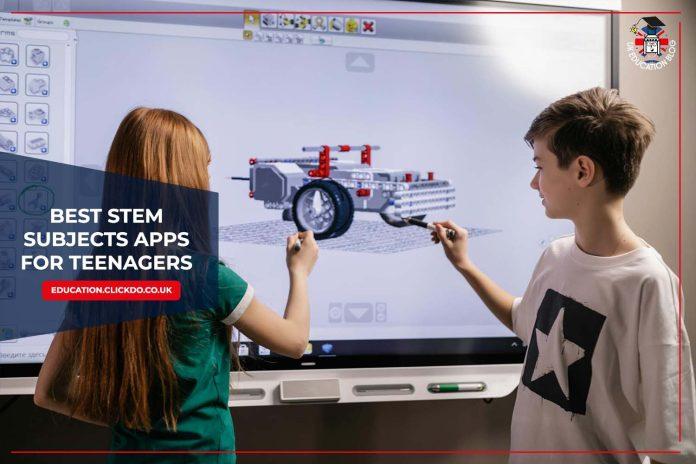
Best 5 STEM Subjects Applications for Teenagers
1. Quizlet – 4.8 Stars with 924.6K App Store Ratings

What Makes It Stand Out?
Quizlet is a versatile flashcard platform increasingly adopted by UK secondary schools for vocabulary-heavy STEM subjects. Its user-generated content model allows both teachers and students to create revision materials aligned with GCSE and A-Level specifications.
Primary Features
- Customisable digital flashcards with image support
- “Learn” mode with a spaced repetition algorithm
- Live collaborative games for classroom use
- Mobile offline access to saved materials
Recommended Age Group
- Suitable for students aged 13 and above.
Optimal for:
Particularly effective for:
- GCSE students memorising key terminology (e.g., Biology glossary terms)
- MFL departments adapting to new grading systems
- Teachers creating bespoke revision resources
- Last-minute exam cramming sessions
Access and Pricing
- Free tier includes basic flashcard creation, community-shared sets, and limited offline access
- Paid plans offer full features: £35.99/year (£2.99/month) with free trial or £7.99/month (cancel anytime)
Examination Board Coverage
- GCSE: Best for AQA/Edexcel/OCR Sciences (Biology definitions, Chemistry equations); limited maths use beyond terminology
- A-Level: Suitable for Psychology/Sociology theories; basic Biology/Chemistry glossaries; insufficient for advanced STEM problem-solving
Offline Functionality
- Free users can access recently viewed sets offline (24-hour cache), while Plus subscribers get full offline access to saved materials
- Live games and multiplayer features require an active internet connection
- Some users report syncing issues with particularly large study sets (>500 cards)
Social Presence:
- Facebook – @quizlet: 120K Followers
- X – @quizlet: 41.2K Followers
- Instagram – @quizlet: 142K Followers
- YouTube – @quizlet: 25.8K Subscribers
- LinkedIn – @quizlet: 48K Followers
2. BBC Bitesize – 4.6 Stars with 6.4K App Store Ratings

What Makes It Stand Out?
Developed by the BBC’s education team, Bitesize provides syllabus-aligned revision materials for secondary students in England, Wales, Scotland and Northern Ireland. The platform consolidates revision notes, explanatory videos and interactive quizzes into a single resource. Its content is mapped to UK examination board specifications, though coverage varies between subjects and qualification levels.
Primary Features
- Curriculum-filtered revision materials
- Animated video explanations
- Automatically generated practice quizzes
- Progress tracking functionality
- Augmented reality components (selected STEM topics)
Recommended Age Group
- Suitable for learners aged 3 to 16+.
Optimal for:
The resource is particularly useful for:
- Students requiring structured revision materials
- Last-minute examination preparation
- Learners who benefit from visual explanations
Access and Pricing
The service operates without subscription fees or advertising revenue. While no account creation is necessary for basic access, registered users can track their progress across devices.
Examination Board Coverage
- GCSE/National 5: Comprehensive support for AQA, Edexcel, OCR, WJEC and CCEA specifications
- A-Level/Highers: More limited subject coverage, with strongest support for core subjects
Offline Functionality
Text-based content and some quizzes can be downloaded for offline use, though video resources require an internet connection.
Social Presence:
- X – @bbcbitesize: 39.7K Followers
- Instagram – @bbcbitesize: 89.6K Followers
3. Tassomai – 3.9 Stars with 5.7K App Store Ratings

What Makes It Stand Out?
Tassomai is an adaptive learning platform specialising in GCSE science revision. The system employs spaced repetition and micro-quizzing techniques to strengthen long-term knowledge retention. Content is developed in consultation with examination boards and practising teachers. Their dedicated AI tutor, Mai, creates multiple-choice quiz questions for all subjects, mapped to each exam board’s specification.
Primary Features
- Algorithmically-generated daily quizzes (3-5 minutes)
- Detailed progress analytics for students, teachers and parents
- Video explanations for incorrectly answered questions
- Intervention alerts identifying knowledge gaps
- Memory reinforcement through repeated questioning
Recommended Age Group
- Perfect for learners aged 7 to 17 years.
Optimal for:
The platform is particularly effective for:
- GCSE science students (both combined and separate sciences)
- Schools requiring data-driven intervention tools for whole classes or specific groups
- Teachers need automated progress tracking and half-termly performance reports
- Students who benefit from structured 10-minute daily revision sessions
Access and Pricing
Tassomai operates on a subscription basis:
- Individual students get 7 days of full trial access to Tassomai before their monthly subscription begins.
- Tassomai offers a free 3-week trial for schools. Contact them for details or to request a demo.
Examination Board Coverage
Content is aligned with:
- GCSE Science: AQA, Edexcel, OCR 21st Century, OCR Gateway, IGCSE, WJEC
- GCSE Maths: AQA, Edexcel, Edexcel IGCSE, WJEC, OCR (Higher and Foundation
Offline Functionality
The platform requires continuous internet access. No offline functionality is currently available.
Social Presence:
- Facebook – @Tassomai: 1.2K Followers
- X – @tassomai: 2.8K Followers
- Instagram – @tassomai: 762 Followers
- YouTube – @TassomaiTV: 1.41K Subscribers
- LinkedIn – @tassomai: 837 Followers
4. Seneca Learning – 4.6 Stars with 2.6K App Store Ratings

What Makes It Stand Out?
Seneca’s research-backed revision platform, developed with neuroscientists and UK teachers, specialises in STEM subjects, covering 95% of UK exam board specifications. The system employs spaced repetition and interactive questions to enhance knowledge retention across multiple subjects. The adaptive algorithm prioritises individual knowledge gaps, differing from conventional revision tools by embedding assessment within the learning process rather than treating it separately.
Primary Features
- Bite-sized revision courses with built-in assessment
- Adaptive learning algorithm targeting weak areas
- Teacher progress monitoring dashboard
- Option to create custom revision classes
- Offline mode for mobile revision
Recommended Age Group
- Perfect learning solution for students between the ages of 8-18
Optimal for:
The platform works particularly well for:
- Secondary students preparing for GCSE and A-Levels
- Teachers setting structured revision programmes
- Learners who benefit from visual and interactive content
- Schools need to track whole-year-group progress
Access and Pricing
- Free access to all core revision content
- 792 premium options are available for various subjects
Examination Board Coverage
Content aligns with:
- GCSE: AQA, Edexcel, OCR, WJEC, Eduqas, CCEA
- A-Level: Major boards for core subjects
- KS3: National Curriculum for England
Offline Functionality
- Full offline access via mobile app
- Progress syncs when reconnected
Social Presence:
- Facebook – @senecalearning: 2.1K Followers
- X – @SenecaLearn: 15.2K Followers
- Instagram – @senecalearning: 15.2K Followers
- YouTube – @senecalearning3176: 10.3K Subscribers
- Pinterest – @senecalearning: 39 Followers
5. Mathletics – 4.2 Stars with 909 Play Store Reviews

What Makes It Stand Out?
Developed by 3p Learning, Mathletics provides a digital mathematics platform designed for Key Stage 3 and GCSE students. The system combines curriculum-aligned practice activities with gamified elements, including live mathematics challenges between students internationally.
Primary Features
- Automated marking with instant feedback
- Curriculum-matched activities for England, Wales, Scotland and Northern Ireland
- Competitive live mathematics arenas
- Printable worksheets and workbooks
- Teacher analytics dashboard
Recommended Age Group
- Suitable for students aged 5 to 16
Optimal for:
The platform is particularly appropriate for:
- Schools seeking whole-class mathematics solutions
- Students who respond well to competitive learning formats
- Supplementary mathematics practice outside classroom hours
Access and Pricing
Mathletics operates on a subscription model:
- Institutional pricing for schools (quoted individually)
- Home user subscriptions at $19.95AUD monthly or $99.00AUD annually
Examination Board Coverage
The content aligns with:
- National Curriculum requirements for KS3
- Major GCSE examination boards (AQA, Edexcel, OCR, WJEC)
Offline Functionality
While core activities require internet access, printable resources are available for offline use. The platform cannot track progress for work completed offline.
Social Presence:
- Facebook – @mathletics: 152K Followers
- X – @mathletics3pl: 5.9K Followers
- Instagram – @mathletics3pl: 10.3K Followers
- LinkedIn – @3p-learning: 12K Followers
Enhance Your Child’s STEM Learning
As GCSE and A-Level exams grow increasingly demanding, these innovative STEM apps provide students with more than just supplementary learning – they offer a strategic advantage.
For parents and educators, this represents an opportunity to bridge classroom teaching with targeted exam practice. The apps we’ve reviewed don’t replace traditional study methods, but when used judiciously, they can help students identify weak areas in their Chemistry equations, Physics formulae or Maths problem-solving techniques – often through methods more engaging than past papers alone.
The future of exam preparation is undoubtedly blended, where textbooks meet adaptive algorithms, and where teachers’ expertise combines with smart technology. For students facing crucial STEM exams this year, that future has already arrived.
For more helpful learning apps and games, check out our other reviews and recommendations:
If you want to get in touch with us about this post or related queries, enquire here:








 Rococo Coffee House is a popular student study spot due to its cosy and friendly atmosphere – not to mention the excellent food and drinks served here too. To accommodate its popularity, Rococo has a large variety of seats available and multiple rooms to create a study-friendly atmosphere.