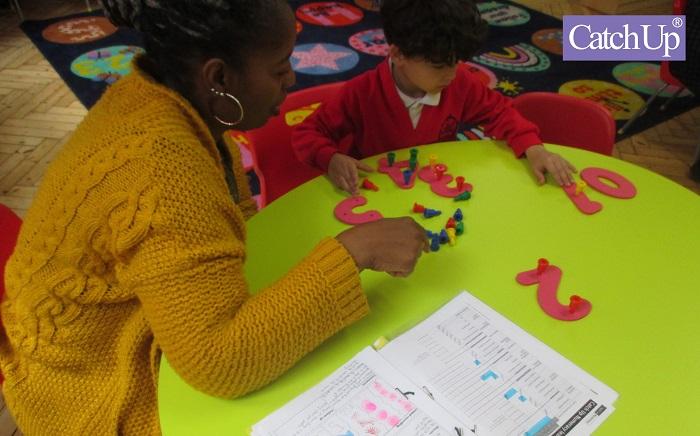
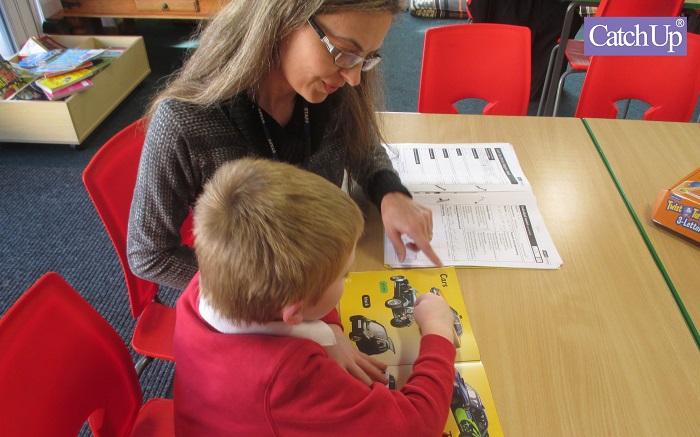
Nationally recognised for its market leading intervention training, Catch Up® is offering primary schools from London Boroughs the opportunity to train three members of staff for free as part of their Early Years Project final year trial.
Schools who participate will receive online training worth over £1200 that will enable teachers and teaching assistants to deliver numeracy and literacy interventions, supporting pupils’ education development in these two core areas.
London Borough schools that sign up to the programme may also be eligible for an administration grant of up to £500 and can make use of their new skills with students across all years.
Resources, support, and free Hodder standardised testing will also be provided to all participating schools.
To qualify, schools must engage with the training sessions by the end of October 2023 and then use their training to support one Reception–age/Year 1 pupil in the Autumn Term.
The pupil’s progress will then be reported as an anonymised case study within the final report.
Dr. Graham Sigley (Deputy Director) from Catch Up® explains:
“Our early years project aims to demonstrate how Catch Up® Literacy and Catch Up® Numeracy can aid a child’s educational progress in their formative years. The first two years of study have provided some excellent results and we’re looking to conclude the final year with participating schools specifically in the Greater London area.”
“Although the project is focused on Reception-age and Year 1 aged children, once trained, teaching staff can access lifetime support with no limit on the numbers of learners that can benefit, a great value to schools.”
Catch Up® is a not-for-profit charity working to address literacy and numeracy difficulties that contribute to underachievement.
Its integrated training and resource packages support the management and delivery of Catch Up® interventions.
Want to find out more about Catch Up Literacy and Catch Up Numeracy?
As educators, it’s our responsibility to provide high quality learning experiences to our students so they are well-prepared for the careers ahead of them.
Training courses like BSB Training are delivered across Australia, but they don’t all offer the same quality, and it can have a major impact on student outcomes.
In this article, we’ll dive into some of the recent changes to BSB training and how you can choose the right resources for your RTO.
What is BSB Training?
BSB training packages are some of the most popular tertiary education courses in Australia. For students that would prefer to skip university, BSB training provides Certificate or Diploma level instruction that can lead to careers in a wide range of practical and professional careers.
There is considerable demand for BSB Certificates in Australia. Some of the top performing courses have more than 50,000 enrolees each year. That means many RTOs deliver BSB Certificates and Diplomas, so they need high quality BSB training packages to ensure students have access to the knowledge they need.
The BSB Training Packages v8.0 Update
In 2019, BSB training received a major overhaul. Dozens of courses were merged or deleted, and all courses were updated to reflect the changing business landscape. The updated courses feature new learning and assessment requirements, as well as new skillset and competency requirements. These changes were designed to ensure students were being equipped with the skills they need to succeed in real-world workplaces.
These changes were rolled out as v7.0 of the BSB training packages, and the transition period continued from 2019 to 2022. After the last of the new competencies were transitioned, the Australian Government introduced v8.0 of the BSB training packages. These new updates are ongoing, and they capture minor changes to individual courses, in line with feedback from the VET industry.
How to Choose High Quality BSB Training Packages
BSB Certificates are some of the top-performing VET training options in the country. Offering these Certificates and Diplomas is a great way to boost enrolment and provide quality training that can help your students succeed in their careers.
To ensure you select the BSB training package that provides the learning experience your students need, you should perform the following checks:
1. Always Ask for a Sample
Reputable RTO resource developers should be able to provide valid samples of their training packages. You can use the sample to determine the breadth and quality of the content, as well as to verify what is and isn’t included in the package.
You should also take the time to validate the sample. This can be done by your in-house validation personnel, or it can be contracted out to a consultant. Validating a sample is the best way to gauge the quality of the material and whether it will pass an audit.
2. Does the Package Contain Learner Guides?
Many low-quality training packages provide the bare minimum, which is often little more than a few paragraphs explaining what students are expected to take away from a course. Before purchasing a package, verify that it contains a comprehensive learner guide. Learner guides include specific coursework, assignments, classroom work and support for students’ needs.
3. Does the Package Contain Assessment Guides?
The success of most VET training programs is measured by whether students meet particular assessment outcomes. Reaching those outcomes can be a challenge if your BSB training package contains insufficient information or lacks an assessment guide.
A high-quality assessment guide provides assignments and exams, questions and answers, as well as useful information that instructors can use to reach the desired outcomes. Using an assessment guide is critical to your students’ success. Without the guide, it’s likely that they won’t develop the skills they need to pass the course, which can seriously impact their workplace performance.
4. Check the Usage Licence
There’s no one-size-fits-all answer when it comes to usage licences, but you should still verify that your RTO materials come with a licence that’s appropriate for your use. For example, some BSB packages are purchased in a one-off, up-front transaction. Others are purchased based on the number of users or as part of an ongoing subscription fee.
Pricing and licence information should always be transparent and easy to find. We typically recommend purchasing unlimited licences. Paying per student or per month can add up very quickly. On the other hand, unlimited licences may cost more upfront, but they come with the freedom to use the materials for as many students as needed.
5. Beware Budget RTO Resources
There are thousands of RTO developers out there. Many of them produce low-quality content that’s unlikely to pass an audit. The initial savings of using these materials can be tempting, but the cost of rectifying issues or being sanctioned by ASQA far outweighs the savings. If a training package seems too cheap, don’t buy it.
Hopefully, you now understand what to look for in BSB Training to make the most of it for your student’s career development.
In the era of rapid digital transformation, academia isn’t left untouched.
Integrating innovative digital tools is dynamically shifting the education landscape, fostering efficiency, and driving academic excellence.
This evolution transcends the confines of traditional classrooms, facilitating personalised learning, effective communication, and fruitful collaboration in an increasingly connected world.
Furthermore, these tools have made learning more accessible, breaking down geographical barriers and opening the gates to a world of knowledge just a few clicks away.
This article aims to navigate the digital world of academia, showcasing the array of tools available to reach the pinnacle of academic success.
Enhancing Productivity With File Management Tools
Managing and organising files can often be a stumbling block in pursuing academic excellence. Digital tools like Smallpdf’s compress PDF services, Dropbox, and Google Drive can streamline this process. The compressed PDF tool helps students handle large files efficiently.
Alongside this, cloud storage services like Dropbox and Google Drive provide secure storage and easy access to files from anywhere, anytime. These tools optimise file management, thus saving valuable time and enhancing productivity. They alleviate the stress associated with data loss and facilitate better organisation, contributing significantly to academic success.
Bridging The Gap With Learning Management Systems
Learning Management Systems (LMS) like Moodle, Canvas, and Blackboard are revolutionising how education is imparted. LMS software is more than just a digital platform; it bridges educators and learners, fostering a highly interactive learning environment. Students have access to a wealth of learning resources, can track their progress, interact with their peers, and receive timely instructor feedback.
Furthermore, these systems provide an organised framework for both synchronous and asynchronous learning, accommodating the different paces at which students learn. For instructors, these platforms serve as a hub for curriculum planning, student engagement monitoring, grading streamlining, and lesson customisation, thus ensuring a holistic approach to diverse learning styles.
The Rise Of Online Research Tools
With the wealth of online information, sifting through irrelevant content to find the desired academic material can be quite daunting. This is where online research tools like Google Scholar, JSTOR, and ResearchGate come in. These digital tools offer extensive databases of scholarly articles, e-books, thesis papers, and more, serving as a treasure trove of academic resources.
They allow students and academics alike to conduct thorough, streamlined research, cross-reference sources, and find the most recent and relevant scholarly publications. Furthermore, these tools promote academic integrity by facilitating proper citation and referencing, fostering a culture of responsible scholarship. The simplicity and accessibility of these tools have made them indispensable in the academic world.
Interactive Learning With Educational Apps
The explosion of educational apps and games is making learning more interactive and engaging than ever. Apps like Duolingo, Khan Academy, and Photomath facilitate self-paced learning, enabling students to explore subjects and hone their skills outside the confines of a classroom. These apps come with gamification features that make learning fun and stimulating, driving student participation, and enhancing their grasp of the subject matter.
Furthermore, these tools provide real-time performance feedback, allowing students to track their progress and work on their areas of improvement. As a complement to traditional education, they cater to various learning styles and preferences, promoting inclusivity in education and making learning enjoyable.
With the rise of distance learning, communication tools like Microsoft Teams, Zoom, and Google Meet have become essential. These digital platforms foster collaborative learning by enabling students and teachers to communicate and collaborate in real-time. They come with many features, such as shared screens, breakout rooms, and interactive whiteboards that facilitate group discussions, presentations, and collaborative projects.
Moreover, they open the doors to global schooling and learning communities, fostering a multicultural educational experience. Additionally, these tools offer flexibility in scheduling and attending classes, balancing academics and other commitments, thereby reducing stress among students.
Online Assessment Tools For Effective Evaluation
Evaluation is a critical aspect of the learning process. It provides insight into a student’s understanding and retention of the subject matter. Online assessment tools such as Quizlet, Kahoot, and Socrative are streamlining this process. These platforms allow educators to create custom quizzes, flashcards, and interactive games to test knowledge and track student progress. Using multimedia in these tools makes the assessment process engaging and less intimidating.
Furthermore, their instant feedback features offer students insights into their strengths and areas for improvement, promoting a growth mindset and fostering self-improvement. With these tools, assessments become more than just a measure of learning; they become a pathway to academic excellence.
Digital Note-Taking: Streamlining Information Capture
Taking notes is an integral part of the learning process, and digital tools are transforming this traditional activity into an efficient, organised process. Applications like Evernote, OneNote, and Google Keep allow students to easily create, organise, and search through notes. They support multimedia notes, allowing for more comprehensive note-taking that suits different learning styles.
They also sync across multiple devices, ensuring that your notes are accessible wherever you are. Furthermore, these apps offer features like sharing capabilities and collaborative note-taking, making group studies more effective. With these digital tools, note-taking becomes more conducive to retaining information and promoting active learning.
E-books And Online Libraries: Expanding Access To Knowledge
Access to relevant reading material is crucial for academic success. Digital resources like e-books and online libraries, such as Project Gutenberg and the Open Library, offer a comprehensive array of literature at your fingertips. These platforms provide convenient access to vast collections of books and journals and feature tools for annotation, highlighting, and bookmarking, enriching the reading experience.
These platforms break down geographical and time constraints, providing 24/7 access to resources. This digital transformation of reading expands access to knowledge, fostering a culture of continuous learning and intellectual curiosity.
The Future Of Education with Digital Tools
In a rapidly evolving digital landscape, using digital tools in education is no longer a luxury but a necessity. These tools are revolutionising how students learn and teachers teach, enhancing efficiency and stimulating academic excellence. From the convenience of Learning Management Systems to the engaging potential of VR, each tool plays a pivotal role in fostering a more comprehensive, accessible, and personalised learning experience.
The future of education lies in embracing these technological innovations, making learning more dynamic and adaptive to the needs of the digital native generation. Integrating digital tools into education provides an exciting roadmap for academic excellence. As we move forward, educators and students alike must harness the power of these tools, preparing for a future where technology and education are intrinsically linked. The journey toward academic excellence, in essence, is a digital one.
When you hear that your child isn’t thriving in school, it can be absolutely gutting.
As parents, we know it’s key to support our children’s education and development. But what now?
You’re not a teacher! Fortunately, we know some, and they’ve shared with us five strategies they use when their students need a little extra push.
In this article, we’ll explore the five teaching hacks primary teachers swear by, specifically designed for different developmental stages and milestones.
Milestones and Strategies for Primary School Students
Age Group
Learning Milestone
Teacher’s Tip
4-5 years
Phonemic Awareness
Encourage rhyming games and reading aloud
6-7 years
Reading Fluency
Engage in shared reading activities
8-9 years
Multiplication and Division Basics
Use manipulatives and real-life examples
10-11 years
Written Expression
Foster a love for writing through creativity
12+ years
Critical Thinking
Encourage debates and problem-solving skills
1. Phonemic Awareness (Age: 4-5 years)
For little ones, it’s essential to develop those phonemic skills. They serve as the foundation for your child’s future language and reading abilities, so if you set them up well here, they’ll be in a better position for the rest of their lives. First-year teachers generally recommend engaging your 4–5-year-old in wordplay.
Many claim that wordplay is one of the best ways you can help your child develop their phonemic awareness skills. It’s effective, but it’s also a fun activity that you and your child can enjoy together! Children love to be silly and explore words at this age, and it’s often surprising what they come out with.
It is also suggested to focus on individual sounds within words, which will help your child develop a strong foundation for later learning. By breaking down words into their component sounds, children can learn to recognise and manipulate these sounds, which in the long term improves their ability to read and write.
This is a very popular approach among primary teachers in early literacy development, but it can also be a valuable tool for parents looking for new ways to support their child’s learning at home.
2. Reading Fluency (Age: 6-7 years)
Being able to read and write fluently is one of the most important skills your child will ever learn. Understanding written material and communicating effectively through writing can make a huge difference to their academic success.
By spending time reading with your child, you can be the pillar of support and guidance they need as they navigate unfamiliar words and concepts. It can be a great way for you to bond with your child as well, think about sharing books you enjoyed at their age.
One way to engage students in shared reading activities according to many primary teachers is to have them choose a book and take turns reading paragraphs or pages, doing the different voices for the characters, and having fun with the narrative. It helps them develop pacing, expression, and confidence when reading.
Parents should encourage their children to read aloud regularly and provide them with gentle guidance and correction on word pronunciation. Remember to celebrate their progress along the way too, it’ll keep them motivated and engaged.
3. Multiplication and Division Basics (Age: 8-9 years)
Encourage your children to master multiplication and division, it sets the foundation for more complex maths further down the road. To support your child’s learning of these fundamental concepts, try sitting with them and coming up with real-life scenarios for them to work through.
Primary teachers use blocks, stones, sweets, and coins to engage students in multiplication and division. Unsurprisingly, the sweets always worked the best according to their experience.
Parents can help their children with this at home by asking them to group objects into equal sets and work with them to answer simple questions. The division could be taught by asking them to share treats with their siblings or friends. Students tend to engage in more hands-on activities but also enjoy accredited mathematics learning apps.
4. Written Expression (Age: 10-11 years)
Getting your thoughts from your mind to the paper can be difficult, especially when you’re just developing the skills to be able to do it! Kids may struggle with this to start with, but it’s important to encourage them to keep trying. Being able to effectively communicate their thoughts and ideas is going to help them express themselves to the wider world.
Primary teachers recommend encouraging them to explore their creativity through writing activities. Writing short stories, and poems, or even keeping a journal can be a great way for them to discover their own writing style.
Providing them with different writing prompts, maybe a question to consider every day, increases engagement and motivation as does giving praise. Instead of focusing on the grammar and structure of their writing, highlighting the fun and creativity that can come from putting pen to paper can be far more effective.
5. Critical Thinking (Age: 12+ years)
As your child enters teen hood, you want to encourage those critical thinking skills to kick in. A time characterised by bad behaviour and rebellion, these skills will not only help them academically but hopefully encourage them to think twice before engaging. Help your kids by nurturing their critical thinking skills, by engaging them in debates and problem-solving activities.
Ask them their opinion on things, follow up with questions, and prompt them to provide logical reasoning for their arguments. A teacher provides students with real-life scenarios that require creative problem-solving, which helps them to think critically, and consider different perspectives. Some primary teachers choose a relevant issue and split their class into opposing sides on it for example. Both sides must come up with relevant arguments to support their position, whether they agree with the side of the argument they’ve been placed on or not.
Asking your children to come up with their own solutions to issues they face, and then discussing the pros and cons of each option with them can be really helpful for parents. They like to feel a bit of autonomy, and you can still give your input!
Putting it into Practice at Home
As the Child Mind Institute aptly puts it, “Wherever there is a child struggling in school, the odds are there are parents struggling to figure out how to find the most effective help for that child.”
It can be difficult as parents to know what the right thing to do is to support their children at school. Perhaps an online tutor would help, but then you hear about homework helpers and wonder if that’s the right route. Next someone suggests an educational therapist, and you’re back to square one, completely lost. Luckily, there are ways to learn some of the skills these practitioners use.
Association of Learning, experts in childcare training, believe that parents can become support their child needs, even if they were poor students themselves.
Distance learning specialist Owen Smith shared with us:
“The resources available for parents now are much better than a few years ago. You could take a short course from home that will help you both understand your child’s development better, as well as give you the ability to tackle whatever school challenges they’re facing, it would only take a few hours out of your week.”
He recommends online childcare courses at level 3 to parents looking to better support their children academically.
“Level 3 is the best place for parents to start. It’s quite light in terms of hours of study required, but it’s rigorous enough that they’ll come out of it knowing how to support their child with key issues.”
Combining the strategies outlined above by primary school teachers, with the skills provided by a distance training course could make all the difference to your student. You can ensure they’re equipped with all the essential skills at each stage of their primary education and can answer any questions they have.
So next time you worry about your child falling behind, take a deep breath and remember that you have an array of teaching hacks at your disposal. Embrace this opportunity to engage with your child, laugh, learn, and enjoy this phase in their life. With your guidance and the support of their teachers, your child will achieve key milestones and unlock their full potential.
Note: The information provided in this blog post is for educational purposes only and should not replace professional guidance. Consult with teachers and educational experts for personalised advice and support tailored to your child’s specific needs.
About Emma Murphy
As a blogger and editor, Emma is passionate about giving her readers empowering information that will help them improve their everyday lives. Emma contributes to many education, psychology, and lifestyle blogs in the United Kingdom, sharing tips, advice, and guides.
Electronic games aka eGames are a form of entertainment that involves playing video games or online games on various platforms, such as consoles, computers, mobile devices, or via apps. This is termed eGaming.
eGames have become increasingly popular and diverse over the years, with genres ranging from action and adventure to strategy and simulation.
The gaming industry is constantly evolving and introducing new eGame titles and genres to the market.
But what are the most played eGames in 2023?
Which ones have the largest and most loyal fan bases?
Which ones are dominating the eSports scene and attracting millions of viewers?
We try to answer these questions by looking at some data and trends shaping the eGaming landscape.
Most played eGames by Numbers
According to various sources, such asactiveplayer.io, statista,mmo-population, andescharts.com, the most played eGames in 2023 by average monthly players are (retrieved at the time of this publication via Bing, all data subject to change):
These games span across different platforms, genres, and modes, but they all share some common features that make them appealing to a wide range of players, which we delve into further on.
Let’s first check out some of the most recommended eGames for eGaming by experts having rated them as THE best eGames of 2023.
Top-rated eGames recommended for eGaming
1. Metroid Prime Remastered (Nintendo Switch)
Metroid Prime Remastered is an entertaining video game where you play as Samus Aran, a bounty hunter. You discover a new world, combat aliens, and attempt to preserve the cosmos. It looks better, performs better, and has new things to do compared to the previous version. People enjoy it mainly because it has a nostalgic character.
Fire Emblem: Engage is an exciting game. You have the opportunity to play as heroes and save the planet. It unfolds in a fantastical world filled with people and dragons. There is a villain that wishes to bring down everything. You must put a stop to him and restore order. The game is simple for beginners to pick up and play, featuring turn-based warfare. You may also dress up your characters and pick who they fall in love with. The visuals are stunning, and the game is so popular because of this.
Tango Gameworks’ Hi-Fi Rush is a fun game. It takes place in a lovely cutting-edge metropolis where everyone enjoys music. You take on the role of a gang of heroes who use their musical abilities to combat an evil business that rules everything. The game is very engaging because of the unique sound design.
Dead Space is a frightening video game based on Space. You play the role of Isaac Clarke, an engineer assigned to repair a starship recently taken over by scary monsters known as Necromorphs. Weapons sever the creatures’ arms, legs, and skulls. The game includes a fascinating feature that allows you to float around in Space. Many players enjoy the game simply because it is entertaining and thrilling.
“Shoulders of Giants” is a playful adventure game developed by Naughty Dog, the team responsible for “The Last of Us Part II.” The tale of the game arrives five years after the last game’s finale and stars two beautiful characters, Ellie and Abby. They travel throughout America to find a remedy for a zombie-like illness that has affected most of humanity. You can sneak about and combat in the game and craft a range of excellent equipment to help you on your trip. The story is very touching, plus the images are beautiful. Those who have played it say it’s incredible fun, and they like the characters and the tale.
Now that we know much more about the most played and top-rated eGames, we can identify specific features that make an eGame attractive and successful.
Popular eGames Features for the best eGaming Experiences
Most of the listed eGames are famous and popular because they exhibit the following characteristics, which appear essential for successful eGames.
Accessibility
Nearly all these games are user-friendly and easy to download or have minimal prerequisites, allowing anybody to download and use them without paying a lot. Some are also suitable for younger children such as Minecraft. They also support cross-play, allowing gamers to enjoy them on several devices and with friends that use various platforms.
Variety
Nowadays, games are filled with modes, areas, characters, weapons, skins, and customization choices enabling players to express their ideas and tastes. To keep the gameplay exciting and fresh, creators provide updates and events with new material and challenges. As a result, your favorite games will constantly provide you with something interesting to look forward to.
Community
These games have many people playing them and talking to each other online. Most of these games have large and active eGaming communities that support and engage with each other through social media, forums, chat rooms, live streams, tournaments, fan art, and fan fiction, and more game developers listen to feedback and communicate with players often. People share fan art and stories and watch other people play the games.
Competitiveness
Many games have modes where you can play against people worldwide. You can rank up, win rewards, and get recognized for your skills. Some games even have professional competitions with huge prizes and lots of fans!
Closing Thoughts
Hopefully, the most popular eGames in 2023 based on player numbers, ratings, and engagement give you an idea of which eGame to play yourself or use as inspiration to create your own eGame. There are of course many other popular video games out there, but these stand out the most in terms of their popularity and features as the top-rated eGames based on critic reviews, user ratings, and sales figures.
These are the games that have impressed gamers and critics alike with their gameplay, graphics, story, sound, and innovation, so they are the eGaming champions of today.
The average babysitter in the UK makes around £7 to £10 per hour.
However, if you babysit Britain’s elite juniors, you can make up to £60,000 per annum.
Really? – Well, yes.
But for that, you cannot be just a nanny. You must be a Norland Nanny – the crème de la crème of the childcare world.
But what is a Norland Nanny?
The renowned Norland College, located in Bath, has been training nannies for over 125 years. And their graduates, Norlanders, are the most sought-after in the world of childcare.
And in this blog post, we’ll explore:
The history of Norland College,
The qualifications required to become a Norland Nanny,
The fees and scholarships available,
Norland placement support, and
The career prospects of becoming a Norland Nanny.
Dive in.
The History of Norland College
Norland College is a prestigious educational institution located in Bath, England.
Founded in 1892 by Emily Ward, it is a pioneer in the field of early childhood education.
The college’s original purpose was to train nannies for affluent families.
Norland Nanny College offers a graduate degree in Early Years Development and Learning.
Norlanders are in high demand as nannies, childcare professionals, and early years educators. Not just in the UK, but around the world. And Norland College has its own Norland Agency which brings Norland Nannies together with suitable families, which increases the chances of being hired as a Norland nanny.
The benefits of being a Norland Nanny
Most people believe that working as a nanny doesn’t require specific skills. Can you keep a watchful eye on a child? Can you stop them from starting a fire or getting hurt? If yes, you are considered good enough to be a nanny.
So, then what’s the need to go for a rigorous college degree to become a Norland nanny?
Well, that’s because it offers many benefits, including:
High salaries,
Excellent working conditions, and
Job security.
“That element of job security at the minute given the current climate that we’re in is and was a really important aspect for me.”
As a Norland nanny, you’ll have the opportunity to work with elite families. You can travel to different parts of the world. Plus, you’ll also have access to ongoing training and development opportunities.
All these benefits make becoming a Norland nanny the first step towards a successful career in the realm of childcare.
But beware, becoming a Norland nanny isn’t easy. It comes with its fair share of challenges.
Challenges of Being a Norland Nanny
Some challenges that a Norland nanny faces include:
Possibly having to work long hours,
Being on call 24/7, and
Dealing with demanding parents and children.
Moreover, you may have to travel frequently, which can be stressful and tiring.
Therefore, it is essential to be mentally and physically prepared for the job.
But rest assured that at Norland, you’ll get the required training to handle all of that with ease.
Becoming a Norland Nanny: The Roadmap
If you’re considering becoming a Norland nanny, here’s everything you need to know.
1. Eligibility
To enroll in Norland Nanny College, you need to have the following qualifications:
Academic Qualifications:
Completion of secondary education with a minimum of five GCSEs at grades A-C (or equivalent).
At least two A-levels (or equivalent), with one in a childcare-related subject.
Three A-levels (grades A-C) or equivalent, such as BTEC Level 3 Extended Diploma in Children’s Play, Learning, and Development.
A good understanding of the English language.
Work Experience:
A minimum of six months of full-time work experience in a childcare-related role.
Experience working with children of all ages, including newborns.
Experience in activities such as cooking, cleaning, and laundry.
Familiarity with the daily tasks and routines involved in childcare.
Personal Skills:
Physical fitness and good health, with the ability to lift and carry children.
Excellent communication and interpersonal skills.
Patience, empathy, and the ability to build strong relationships with children and families.
Attention to detail and the ability to follow instructions accurately.
Good time-management skills to balance various tasks during work hours.
Discretion, tact, and respect for confidentiality.
A friendly demeanour, positive attitude, and the ability to remain calm in challenging situations.
2. Tips for preparing for the Norland Interview
The Norland Nanny College interview process is rigorous and highly selective.
Only 100 candidates are accepted each year.
The interview usually takes place in person. However, virtual interviews can be scheduled for international students. The interview is usually conducted by a member of the College’s admissions team or a trained interviewer.
Therefore, it is essential to prepare thoroughly for the interview.
Here are some tips to ace the interview include:
Prepare thoroughly by researching the College, reviewing the job description, and practising answers to common interview questions.
Be confident and excited about working with children.
Speak clearly and provide examples of your experience and skills.
Show good communication and people skills, such as listening well, being understanding, and using tact.
Show that you have a good understanding of Norland’s approach to childcare and education, and how it aligns with your values and goals.
Ask questions about the College, the course, the student community, and the career opportunities available after graduation to show your interest and engagement in the process.
3. Norland Fees, Scholarships, and Financial Support Options
The Norland fee for BA (Hons) in Early Years Development and Learning (2023-24) is as follows:
£16,055 per year for UK and EU students,
£18,165 per year for non-EU students.
The fees cover the cost of tuition, academic resources, and some practical training.
Additional costs may include accommodation, meals, travel, and personal expenses.
The coat has a full skirt, a fitted waist, and a wide collar, and it is made of wool to provide warmth in cold weather.
The uniform is designed to be practical, professional, and suitable for all weather conditions. And it is intended to convey the high standards and traditions of Norland College.
Students are also required to wear practical shoes with low heels.
Once you graduate from Norland, you don’t have to wear the uniform, unless requested by the family you work for.
5. Norland Curriculum
The Norland curriculum is designed to prepare students for all aspects of childcare. From newborn care to managing the home, you learn everything.
The program includes both theoretical and practical training. You will learn everything from nutrition and child development to first aid and self-defence.
The curriculum also includes courses in communication, teamwork, and professionalism. New-age subjects like driving and cybersecurity are also taught.
After completing the 3-year program, Norlanders can choose to do a fourth year of training. Norland nannies are placed with families to gain practical experience. They are paid a salary during this year, which is an added advantage.
This year is essential for building confidence and honing skills that will be required for a successful career as a Norland nanny.
6. Norland Placement Support
Norland Nanny College provides placement support to its students and graduates. Thus, helping them to find suitable job placements.
The support includes job listings, interview preparation, and guidance on salary negotiations. This support can be very beneficial in finding the right job placement.
7. Norland Nanny Salary and Career Prospects
Norland nannies have the opportunity to work for high-profile clients, including the British Royal Family, celebrities, politicians, and wealthy families.
Some of the well-known clients of Norland include Princess Anne, Mick Jagger, Kate Winslet, and Zara Tindall among others.
A Norland nanny salary usually ranges between £30,000 to £60,000 per year. In addition to attractive salaries, nannies may receive other perks such as accommodation, travel, and training opportunities.
Entrepreneurial Opportunities
Norlanders can also take the entrepreneurial route by starting their own business. Some Norland graduates have gone on to offer consulting services for new parents, creating their own line of baby products, or opening a childcare centre.
Related Career Paths
Graduates of Norland College can pursue various careers beyond nannying. Some have gone on to teach in schools or become child psychologists, applying their expertise to help children with learning or developmental issues. Others have pursued careers in paediatric nursing, social work, or child advocacy.
Career Prospects for UK Expats
UK ex-pats who have completed their training at Norland College have opportunities to work abroad. The demand is especially high in countries like the United States, Australia, and the Middle East.
Nannies who work for international clients can expect to earn a higher Norland nanny salary as well as benefits such as travel and accommodation.
Life After Becoming a Norland Nanny
Life as a Norland nanny is exciting. But it can be challenging too. As a Norland nanny, you will be expected to work long hours and be available for travel. You will also be responsible for the well-being of the children under your care, and this can be a demanding task.
Also, there are certain Norland nanny rules that you are expected to follow.
Some of the Norland nanny rules are:
Wear minimal makeup, natural nails, and simple jewellery.
Tattoos must be covered at all times, including any visible tattoos on the neck, face, or arms.
You are not allowed to own a TV in your accommodation.
You are expected to write daily reports for the family, detailing the child’s activities and development.
You are required to dress formally for all meals, including breakfast.
You must always carry a first aid kit with them.
You are not allowed to post photos of the children they work with on social media.
You are to maintain confidentiality and never discuss the family you work with outside of work.
You should speak in a clear, measured tone of voice and avoid using slang or regional accents.
Norland nanny rules aside, the rewards are significant.
That’s why becoming a Norland nanny is a dream for many childcare and education professionals who might even consider leaving a top private school or online teaching job for a rewarding career as an elite nanny.
So, what are you waiting for? You now know what a Norland nanny is and how to become one. Work towards becoming a qualified Norland nanny and get ready to care for Britain’s elite juniors.
Working in a job that you love doesn’t feel like work at all. As such, you are likely to thoroughly research everything that you need to accomplish before you start looking and applying for your ideal employment.
Of course, every job role requires its candidates to earn some qualifications before they can even think about applying for employment.
However, there are some extra steps that you can take to secure the job you really want.
Therefore, you should take a step back and ask yourself:
Do you know how to successfully apply for employment in your field?
If not, then follow the tips below and start again.
1. Perfect Your Basic Skills
The first impression that you make on a potential employer is not during your interview. In fact, your CV is far more important than you probably realised. This single document needs to be impressive enough to encourage an employer to invite you to an interview in the first place. Also, your basic skills are on full display when composing your CV. Before sending out any applications, take a moment to carefully check your CV for errors, formatting issues, and clarity.
Alongside your educational and professional achievements, your CV will also demonstrate some of your basic and soft skills. These include your grammar skills, computer formatting skills, and your presentation skills. Even a simple spelling error on your CV could demonstrate a lack of attention to detail. That is why you need to perfect these basic skills on your CV before applying to jobs in your field.
2. Show A Positive Attitude
An attitude is something that normally comes across in a job interview. Many people will recommend that you show a willingness to work by showing up on time to your interview and coming prepared with plenty of questions. While these actions are still important, there are some other ways to show your positive attitude before your interview.
For example, the way you discuss your role in previous employment on your CV will go a long way to showing what type of worker you are. We have all had to work to jobs that we did not enjoy. Nevertheless, it is important to talk about these roles in a positive light. Also, you can display your positive attitude by adding any volunteer roles to your employment history.
Working without pay shows that you are willing to continue working rather than doing nothing. This sentiment requires you to have a good attitude towards work, so don’t forget to include these details.
3. Be Open To Learning More
Anyone that has undergone extensive learning courses will know that you are never fully prepared for the job role you want. The workplace is always changing, and you may need to undergo LMS learning from Kallidus to keep up. This may also be an additional requirement for candidates once they are offered the job.
A potential employer may bring up this idea during an interview. Always remain positive toward the idea of learning more and remember that these suggestions are never a slight upon your current skills. Being open to additional learning courses is just how the modern job market works.
4. Show Examples Of Teamwork
A potential employer isn’t just looking for a candidate who fits the needs of the open job role. They are also looking for an employee who can fit in with an established work environment. This means that you must demonstrate how you can fit the job specs but also how you fit in with the specific company.
The best way to achieve this is by being ready to provide examples of how you have worked as part of a team in the past. It also helps to research the company so you can mention specifics that are not necessarily related to the job position. This shows that you are not just applying for the open job position but for the company as a whole.
5. Establish A Need
Every job interview will require you to list a weakness that you have. This is not a mandatory question to discover how quickly you can think on your feet. Instead, this is your chance to really show what you hope to achieve.
A company will want to hire someone who can do the job but also a person who is working toward something. Therefore, any weaknesses that you bring up in your interview should establish a need for you to work in that specific role. Sadly, saying that you work too hard or are too good at your job just isn’t good enough. Try listing a challenge you wish to overcome instead.
Conclusion
Getting the job that you want in life requires more than a list of accolades. As you can now see, it is more about being prepared and knowing how to represent yourself. Follow the advice above and you should find it much easier to get employed in the field that you want.
Becoming a lecturer is the cumulation of many years of academic training and hard work. It is a goal that many academics aspire to and one that can bring with it a huge sense of satisfaction.
Being a quality educator is no easy task, and you owe it to your students to ensure you’re ready for the job. You’ll need to know how to communicate complex ideas and concepts in a way that is approachable and understandable.
By the time you become a university lecturer, you’ll likely be an expert in your field, with research publications under your belt. This puts you in a good position to be able to impart your knowledge to your class, but you’ll need more than expert knowledge to provide your students with a quality education.
It’s important to understand learning styles and techniques that will help your class truly absorb knowledge rather than just be able to regurgitate information.
It’s a good idea to do your own research into teaching and learn the different ways to become a quality educator.
Start With An Understanding of Background Knowledge
With each new class, it’s important to know the base level of knowledge your students possess. You might be teaching first-year students without any background knowledge or second and third-year students with a good foundation. Each will require you to modify your teaching techniques to suit the background knowledge your students have.
When first interacting with a new class, consider taking the time to get a solid idea of their knowledge level. This could be in the form of an informal test or discussion with your students. Be prepared to go over the fundamentals so that you can be sure that all your students will have the right background knowledge to get the most out of your lectures.
Take Brain Breaks
It’s important to make sure your class is always getting the most out of your lectures. If you’re hosting a longer lecture, it’s important to take regular breaks that will prevent your students from becoming fatigued – no one always works their best, and it’s vital that you recognise this in your class.
Brain breaks allow your students to take some time away from learning and come back refreshed. They shouldn’t be too long – just a few minutes is normally plenty – and you should add some variety to ensure all students get the most from them. Some good activities for brain breaks include:
Some lecturers can get touchy when their classes are recorded, and, of course, it’s important that your students be respectful and ask for permission if they want to record your lessons themselves. Still, it’s often best to allow all students to record your lectures if they want or, better yet, record them yourself and give access to your students.
This will ensure that the recordings are of good enough quality and that all students have access to the same resources when they study. Consider investing in quality microphones so that your classroom recordings are clear and provide real value to students.
Use Visual Aids
As a lecturer, it’s your job to ensure that your students have the right environment for learning. No one learns in the same way as anyone else, so it’s important to incorporate different learning techniques into each lecture.
Visual aids can be truly invaluable for helping your class to understand complex concepts, so try to include them whenever you can. Few of us learn at our best just from listening, so try to find many different ways to include visual and even tactile learning opportunities in your lectures.
Try Out Dynamic Polling Tools
As a lecturer, you might be expected to provide digital learning opportunities at times, and it’s crucial that you know how to make digital learning just as engaging as in-person learning. Fortunately, there are plenty of tools and resources for lecturers that can help them engage with students digitally.
Polling is an excellent way for you and your students to engage with one another and can be invaluable for helping you gauge the level of understanding your students have. Vevox has an excellent app that allows for quick and easy word cloud polling, which can help you determine the understanding your class has of what they’re learning. Take a look at their website for more information and to try out the tools for yourself.
Get To Know Your Students
Connecting with your students is vital to build a good relationship and fostering a quality learning environment. You should be approachable, so students feel comfortable coming to you with questions or concerns.
Get to know each of your classes and give them the opportunity to get to know you too. You could consider hosting events outside of the lecture hall to give the chance for you and your students to socialise.
Lay Ground Rules For Debate And Discussion
Debate and discussion are pinnacles of teaching excellence, and you’ll need to ensure you provide a suitable environment for them. It’s best to set ground rules for debates in the classroom, with key tenets like respectfulness and understanding boundaries.
Let your students know the ground rules before discussions take place, so they will know how to behave during debates. This will ensure that no debate is derailed by the requirement to go over the ground rules. Be firm in enforcing your ground rules without being so strict that you inhibit free debate.
Establish A Routine
Most people learn best when they know what to expect – establishing a routine for your classes can be invaluable in this regard. That doesn’t mean that your lectures should be routine or too strictly regimented, just that you should have a general structure that you build your lessons around.
You should make sure that this allows for spontaneity; don’t get too hung up on following your class structure if, for instance, an impromptu debate begins.
Provide Plenty Of Resources
As a lecturer, you’ll need to give your students all the resources they need to be successful in your class. This doesn’t mean you should spoon-feed them all the information they need, but instead, provide them with the skills and opportunities to help them learn.
It’s a good idea to create some digital resources that all students can access, as well as copies of relevant journals and books that could help with their studies. Make sure they understand how to access further resources using key things like the university library and online journals.
The Takeaway
There’s more to being a lecturer than showing up and providing information. You need to engage with your students and instill in them a love of learning and a curiosity that will serve them well throughout their academic careers. It’s no easy task, but with the right tools and techniques, you can become an educator that will have a lasting impact on your students.
It’s vital that you prepare thoroughly and take to heart the feedback you get from your students and other academics. Being a quality lecturer means being willing to adapt and change your style when needed and having a commitment to being the best you can possibly be.
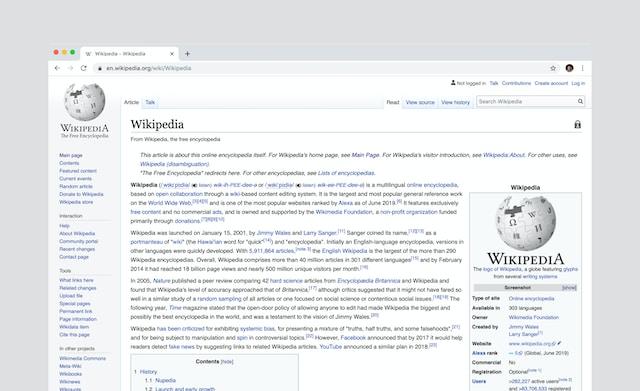
Wikipedia is an online encyclopaedia that anyone can edit which is translated into the most common languages spoken around the world.
It can therefore be a useful source of background information on a specific topic for students, but it is not always considered a reliable source by academics for academic writing.
How reliable is Wikipedia for Students?
As a free online encyclopaedia that anyone can edit and contribute to, we must ask how reliable Wikipedia really is as a source of information.
Can we trust what we read on Wikipedia?
How can we evaluate the quality and accuracy of Wikipedia information in articles?
Because as a student, it is your responsibility to ensure that the sources you cite in your assignments and academic work are trustworthy. If they are not, your marks could be affected and with that, your overall academic performance.
It is of course very convenient to use Wikipedia. But its reliability depends on various factors, such as the topic, the language, the number and quality of editors, the sources cited within a Wikipedia article, and the policies and guidelines followed by the Wikipedia community.
So, to answer the question of Wikipedia’s reliability better, let’s look at its pros and cons.
Advantages of Wikipedia as a source in academic writing
It covers a wide range of topics, from science and history to culture and entertainment, and often provides more comprehensive and up-to-date information than traditional encyclopaedias.
It is accessible to anyone with an internet connection and allows users to search for information in different languages and formats.
It is transparent about its editing process and allows users to view the history, discussion, and sources of each article.
It is collaborative and democratic and encourages users to participate in creating and improving content based on consensus and verifiability.
Disadvantages of Wikipedia as a source in academic writing
It is vulnerable to vandalism, bias, errors, and misinformation, as anyone can edit it at any time, and some information may be unverified, incomplete, or inaccurate and not correctly fact-checked by Wikipedia editors.
It is inconsistent in quality and style, as different articles may vary in length, depth, tone, perspective, and citation standards.
It is not a primary or original source of information, but rather a secondary or tertiary source that summarizes and synthesizes information from other sources.
It is not a peer-reviewed or scholarly source of information, but rather a user-generated and user-edited source that may not reflect the latest or most authoritative research or opinions provided by experts in the relevant field/sector.
Perhaps it is now clearer why Wikipedia should not be used as a sole or definitive source of information, but rather as a starting point or a supplement to other more reliable sources.
What to check before citing Wikipedia in academic writing?
Students should always check the reliability and credibility of Wikipedia articles by:
Looking at the references and external links provided at the end of each article and verifying them through other, ideally original sources.
Looking at the talk page and history page of each article, and evaluating the quality and quantity of edits, comments, disputes, and revisions.
Looking at the banner messages and tags displayed at the top or bottom of each article and noting any issues or warnings about the content or quality of the article.
Looking at the rating system used by some Wikipedia projects to assess the quality and importance of articles within a specific topic or field.
Wikipedia is not a reliable source by itself, as Wikipedia demonstrates, and students should always use critical thinking and independent research skills when using Wikipedia if they decide to cite it as a source.
However, as a student you should not rely on Wikipedia without verification or confirmation from other sources, so you could potentially use Wikipedia to find original sources for further reading.
How to cite Wikipedia as a source in academic writing?
If students decide to cite a Wikipedia article in their academic writing, they should follow some guidelines depending on the citation style they are using.
Discover how to cite Wikipedia in APA, MLA, and Chicago styles, the most common academic citation styles.
1. How to cite Wikipedia in APA style
APA style is a common citation style used in the social sciences.
To cite a Wikipedia article in APA style, you need to include the following elements:
– Title of the article (in sentence case)
– Date of last update
– Name of the website (Wikipedia)
– URL of the archived version of the article
The format for the reference list entry is:
Article title. (Year, Month Day). In Wikipedia. URL.
For example:
Statistical hypothesis testing. (2022, May 28). In Wikipedia. https://en.wikipedia.org/w/index.php?title=Statistical_hypothesis_testing&oldid=1090223185
The in-text citation includes the title of the article (in title case) and the year of last update.
For example:
(Statistical Hypothesis Testing, 2022)
APA style recommends linking to a specific archived version of the Wikipedia article so that the reader can access the same version you used. You can find the archived version by clicking on the “View history” tab at the top of the article and selecting the latest revision.
Chicago style is a common citation style used in history and other disciplines.
The most used version is notes and a bibliography.
To cite a Wikipedia article in Chicago style, you need to follow different guidelines depending on which version you are using.
Use footnotes or endnotes to cite sources, and a bibliography at the end of your paper to list all your sources alphabetically.
To cite a Wikipedia article in notes and bibliography style, you need to include the following elements:
– Title of the article (in quotation marks and headline case)
– Name of the website (Wikipedia)
– Date of last update
– URL of the archived version of the article
The format for the footnote or endnote is:
“Article Title,” Wikipedia, last modified Date, URL.
For example:
“Statistical Hypothesis Testing,” Wikipedia, last modified May 28, 2022, https://en.wikipedia.org/w/index.php?title=Statistical_hypothesis_testing&oldid=1090223185.
The format for the bibliography entry is:
“Article Title.” Wikipedia. Last Modified Date. URL.
For example:
“Statistical Hypothesis Testing.” Wikipedia. Last modified May 28, 2022. https://en.wikipedia.org/w/index.php?title=Statistical_hypothesis_testing&oldid=1090223185.
Chicago style recommends linking to a specific archived version of the Wikipedia article as well. You can find it by following the same steps as in the APA style.
Hopefully, the above tips and considerations will lead to students avoiding mistakes in academic writing and creating high-quality papers with reliable and checked sources cited correctly for the best transparency. We recommend using Wikipedia with caution and rather research the sources added in Wikipedia articles to ensure they provide the information that students want to share in their papers to support their arguments.
eLearning has made teaching more flexible and convenient. Now it’s possible to conduct remote classes and even run asynchronous learning programs.
However, many teachers remain faithful to traditional pen-and-paper knowledge assessments and don’t take advantage of the many opportunities that technologies offer.
In this article, you’ll learn about five knowledge assessment methods that will help you keep up to date, reduce manual checks, and deliver engaging online lessons.
What Is Knowledge Assessment?
Knowledge assessment is a process that helps teachers see how well students have learned and retained the material and compare their performance with learning objectives. It shows whether students can understand and apply the information they’ve been taught.
Although assessments are most often used to check students’ knowledge and skills, they also provide an educational function. By completing the tasks, students focus on important aspects that were initially overlooked and see how they work in practice.
The 5 Best Ways to Assess Student Knowledge and Skills Online
In fact, most online assessment methods are not entirely new — everything we are going to talk about can be accomplished in traditional face-to-face settings.
However, we’ll show how much easier and more engaging these practices can be when moved online.
1. Online quizzes
Multiple-choice, true, or false, fill-in-the-blank questions… Simple and proven, quizzes are a mainstay of assessment. Many teachers love using them online as well because quizzes are:
Universal. You can use these at the beginning of a lesson to quickly check students’ knowledge of a previous topic or to create non-graded quizzes to fuel interest in a subject. They’re also great for baseline measurements or end-of-term exams.
Easy to grade. In general, quizzes are easier and quicker to check than open-ended questions or essays. But with eLearning tools, you can automate this process, so there’s no need to spend time checking them manually.
Great for assessing large audiences. You can easily measure the learning results of even hundreds of students in a short period of time.
Quizzes paired with advanced technology become even more useful for teachers and more engaging for students. To create online quizzes, you can use an eLearning authoring toolkit, such as iSpring Suite.
All you need to do is choose from 14 ready-made quiz templates, enter your question and answer options, set scoring rules, and the quiz is ready to go.
For reliable results, you can set time limits and randomize questions and answers to eliminate cheating. To enhance such an assessment, you can provide feedback for incorrect answers, add info slides, and set branching scenarios to create individual learning paths based on the students’ responses.
2. Simulations
Although role-plays are less common than quizzes, they are becoming increasingly popular among teachers. They aim to authentically replicate a given environment or challenge, giving students the opportunity to train for real-life situations.
Role-plays can be used in many areas. For example, you can use them to develop the students’ decision-making and interpersonal communication skills or to provide practice during language lessons. In higher education, you can use role-playing to assess students’ professional skills, such as holding a diplomatic conversation, providing sensitive medical care, or acting as a psychologist or counsellor.
If you’re going to run role-plays online, try creating them in iSpring Suite. It has an intuitive drag-and-drop interface that allows you to build simulations quickly and easily. Simply make up a scenario — think of a fictional situation and role-play lines, select a suitable character with a background from the content library, and set up branches in the tool. As with quizzes, you can provide feedback on each answer and award points for successful completion.
3. Open-ended questions and essays
Such assignments push your students to think critically and apply the cognitive skills needed to respond in their own words. Essays and open-ended questions have two main benefits:
Improve speaking and writing skills. Students practice expressing their thoughts, feelings, and ideas in a manner that is logical and comprehensive.
Boost creativity. When students are encouraged to reason, reflect, and think about a topic, they learn to think creatively and are more likely to gain new perspectives and come up with fresh ideas.
You can create open-ended or essay-type questions using iSpring Suite. However, unlike quizzes or simulations, it is difficult to trust a computer to assess students’ detailed answers and grade them appropriately. Therefore, you’ll need to check each answer manually.
4. Online discussions
The next level method after open-ended questions is discussion. They help students think more deeply, find different perspectives on a topic, and make connections. Teachers have many ways to facilitate student discussions online.
For example, if you want students to collaborate and interact with each other, you can divide them into teams, each working on a specific project. Students can share and respond to each other’s ideas using web conferencing tools like Google Meet and brainstorm their ideas using a visual collaboration tool, such as Miro Board. After the discussion, learners can collect and present the best ideas. In addition to cases, you can ask students to create infographics together, using special tools like Pictochart or Visme. This will help them organize knowledge on a broad topic.
Alternatively, you can conduct asynchronous discussions through open public forums such as Quora or Reddit, or social media. This is how it works: you outline the topic, start a discussion, and invite students to continue it, supporting their views with relevant examples and arguments.
No matter which method you choose, it’s important to clarify from the beginning that you expect students’ active participation and are going to translate their engagement into grades.
5. Explanatory videos
According to the Learning Pyramid model, teaching others increases knowledge retention by 90%. If students are able to explain the topic accurately and correctly, it means they’ve mastered the subject.
You can break down a broad topic that students have studied into different aspects and ask some of them to create short explanatory videos to present a concept to the class. Let them be creative and make videos the way they prefer, and you’ll see how engaged they get.
Creating explanatory videos can be super easy with iSpring Suite. With this tool, students can create video presentations directly in PowerPoint, record and edit video lectures, and combine them with screencasts.
The students can then share their videos on a common platform, such as an LMS if you use one, or on your group’s social media page, so their classmates can give them feedback.
4 Tips for Effective Knowledge Assessment
Regardless of which method of student assessment you choose, it’s important to remember these key principles:
1. Involve students in creating knowledge checks
Students can create short quizzes for their peers and then check each other’s answers. Such an approach will help you pique their interest and increase knowledge retention.
2. Make criteria transparent
When carrying out a knowledge check, you should not only have the ultimate learning objectives in mind but also give students a clear understanding of what is expected of them and how it will be assessed. This will help them avoid making mistakes because they don’t understand the task.
3. Provide feedback
Let your students know if they’re on the right track by giving them regular feedback. This is even more important in an eLearning environment because not everyone is tech-savvy yet. Post comments on students’ answers in forums, and provide immediate feedback in quizzes and simulations.
Text feedback is not always ideal, especially if you need to point out students’ mistakes. You can arrange feedback sessions using web conferencing tools so the students can hear your voice and there’s less chance of your feedback being misinterpreted.
4. Conduct non-graded surveys
If the topic is quite complicated or the test shows poor results, conduct a non-graded survey to find out what caused the difficulties and how to improve the content or teaching methods.
iSpring Suite is great for creating non-graded surveys. With different questions, such as the Likert scale and true or false, you’ll get reliable feedback from students quickly and improve your teaching practices.
Takeaways
Creating effective online assessments doesn’t require you to be a tech geek. All you need is a little creativity to slightly adjust the familiar practices to the eLearning environment. We hope our tips will help you make knowledge assessments more impactful and engaging for your students, especially for the future of global schooling.




























 As a free online encyclopaedia that anyone can edit and contribute to, we must ask how reliable Wikipedia really is as a source of information.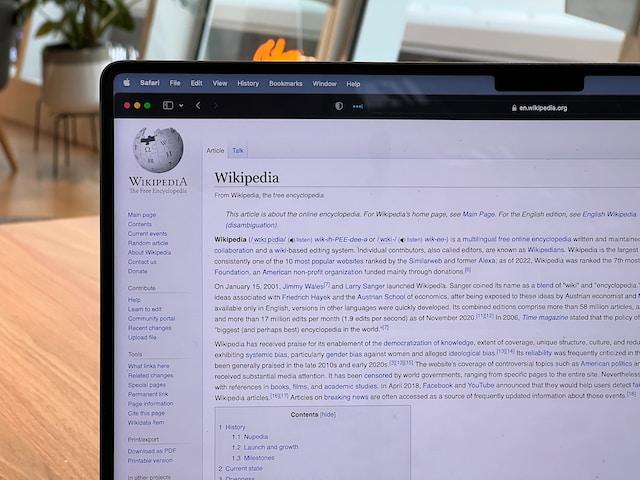
 APA style is a common citation style used in the social sciences.


 Knowledge assessment is a process that helps teachers see how well students have learned and retained the material and compare their performance with learning objectives. It shows whether students can understand and apply the information they’ve been taught.
 Multiple-choice, true, or false, fill-in-the-blank questions… Simple and proven, quizzes are a mainstay of assessment. Many teachers love using them online as well because quizzes are:
 Although role-plays are less common than quizzes, they are becoming increasingly popular among teachers. They aim to authentically replicate a given environment or challenge, giving students the opportunity to train for real-life situations.
 Such assignments push your students to think critically and apply the cognitive skills needed to respond in their own words. Essays and open-ended questions have two main benefits:
 The next level method after open-ended questions is discussion. They help students think more deeply, find different perspectives on a topic, and make connections. Teachers have many ways to facilitate student discussions online.
 According to the
  Regardless of which method of student assessment you choose, it’s important to remember these key principles:
 If the topic is quite complicated or the test shows poor results, conduct a non-graded survey to find out what caused the difficulties and how to improve the content or teaching methods.